Most coaches spend real time and money trying to grow their business. Paid ads. Instagram content. Referral programs. All of it takes effort, and none of it is guaranteed.
The most effective form of marketing for a coaching business has always been word of mouth: a happy client telling someone they trust that their coach is the real deal. The problem is you can't manufacture it or schedule it. All you can do is create the conditions for it to happen.
That's exactly what the workout sharing feature in the QuickCoach app is built to do.
If you've been away from QuickCoach for a while, here's the backstory on the December 2025 Hale Health acquisition and why features like workout sharing are getting real investment again.
Quick answer
To share a workout in QuickCoach, a client finishes a session in the app, then taps the share prompt that appears and picks one of four templates. The post goes to any social platform on their device. On QuickCoach Pro, every template carries your logo and brand colours automatically.
What Is Workout Sharing?
When a client completes a workout in the QuickCoach app, they can share it directly to social media in a single tap. The share goes out as a branded graphic, automatically styled with your logo and brand colours, and lands on their feed for their entire network to see.
Your client gets to celebrate finishing a session, their followers see it, and every share puts your brand in front of people who already trust the person posting it.
That's not advertising. That's word of mouth at scale, built directly into the experience your clients already have.
Why This Is Different to Asking Clients to Tag You
Most coaches have tried the manual version of this. You remind clients to tag you when they post about their training. A handful do. Most forget, and the ones who remember post in whatever format they feel like on the day, which may or may not represent your brand well.
Workout sharing in the QuickCoach app removes that friction. The share happens at the moment of peak motivation, right after a client finishes a session. The graphic is already designed and branded, so there's nothing for the client to think about. One tap and it's done.
The difference between a client who tags you occasionally and a client who shares every completed workout is largely a friction problem. Remove the friction, and the behaviour changes.
How It Works
For the client
- Client completes a workout in the QuickCoach app
- A share prompt appears at the end of the session
- Client selects one of four branded templates
- One tap to share to any platform on their device
The templates are automatically styled using your brand colours and logo. The client doesn't need to customise anything, because the design is done before they even see it.
For the coach
If you're on the free tier, your clients can still share their workouts. They just won't carry your branding. The share will go out in a default template.
If you're on QuickCoach Pro, every share your clients make goes out with your logo and brand colours applied automatically across all four templates. Every completed workout becomes a branded touchpoint in the wild, without you lifting a finger.
What the Four Templates Look Like
There are four branded templates available, each giving clients a different visual style to choose from when sharing. All four pull automatically from the same source: your logo and brand colours set up in QuickCoach Pro. Your branding stays consistent across every template, every time.
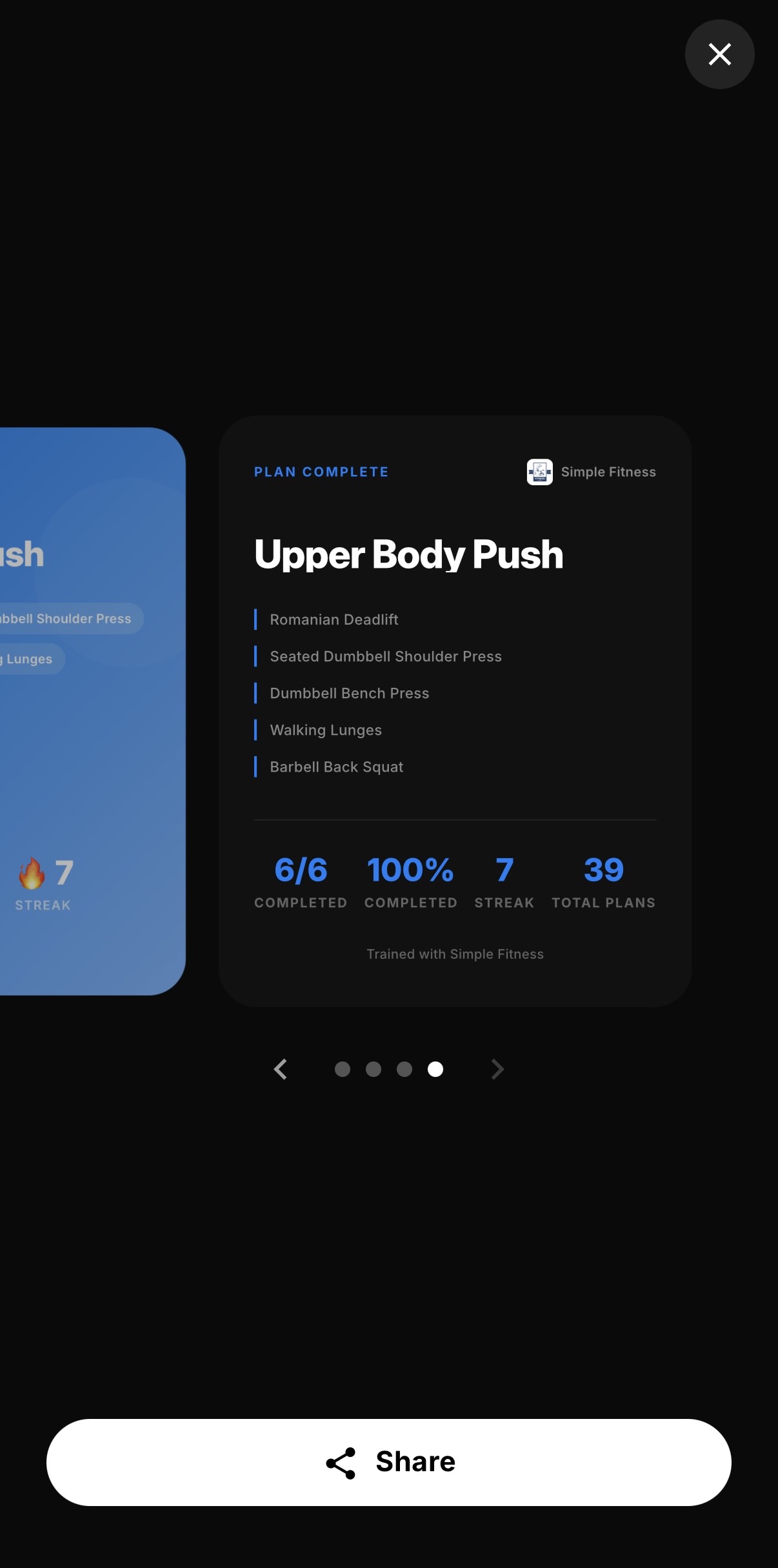
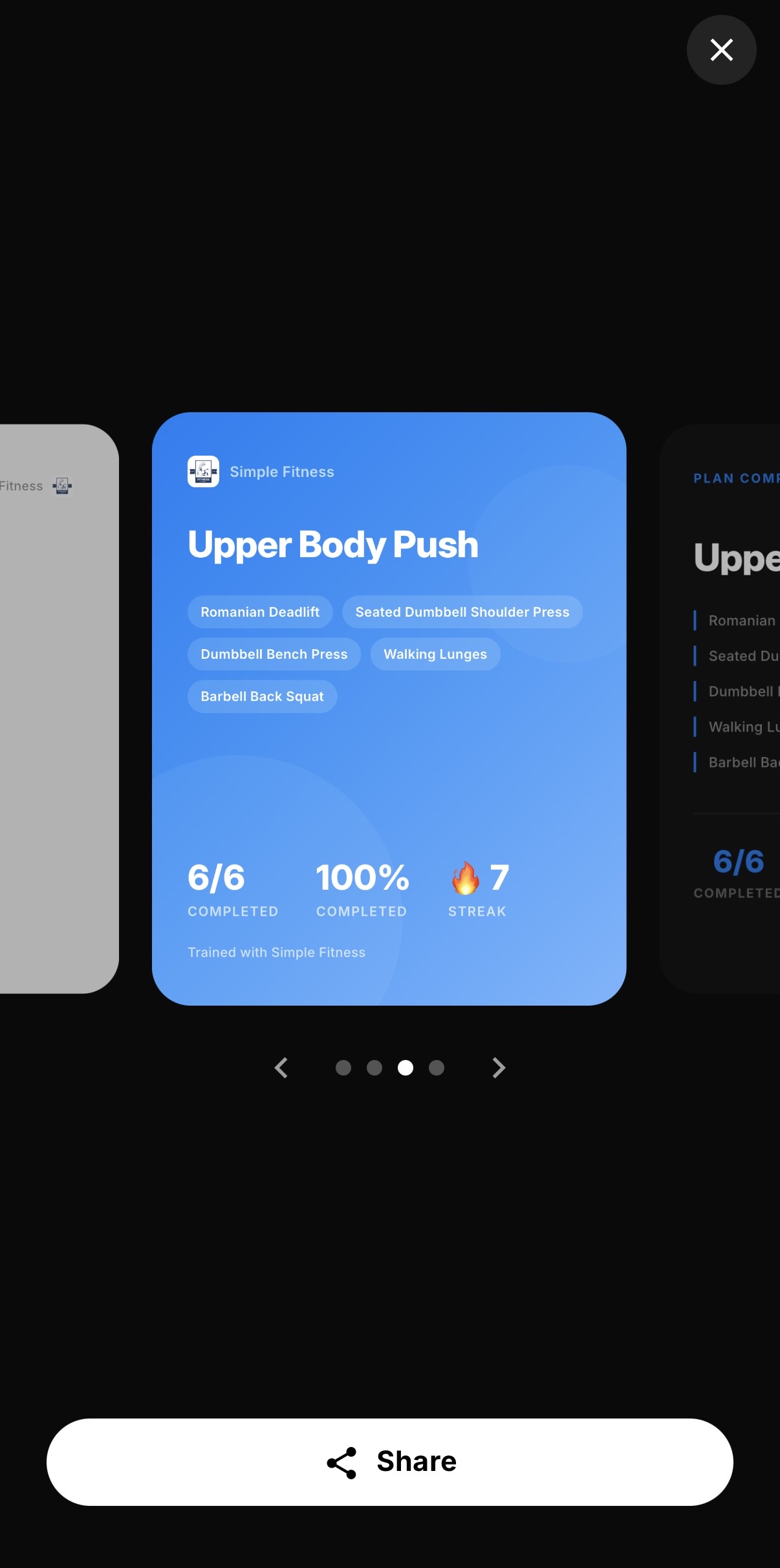
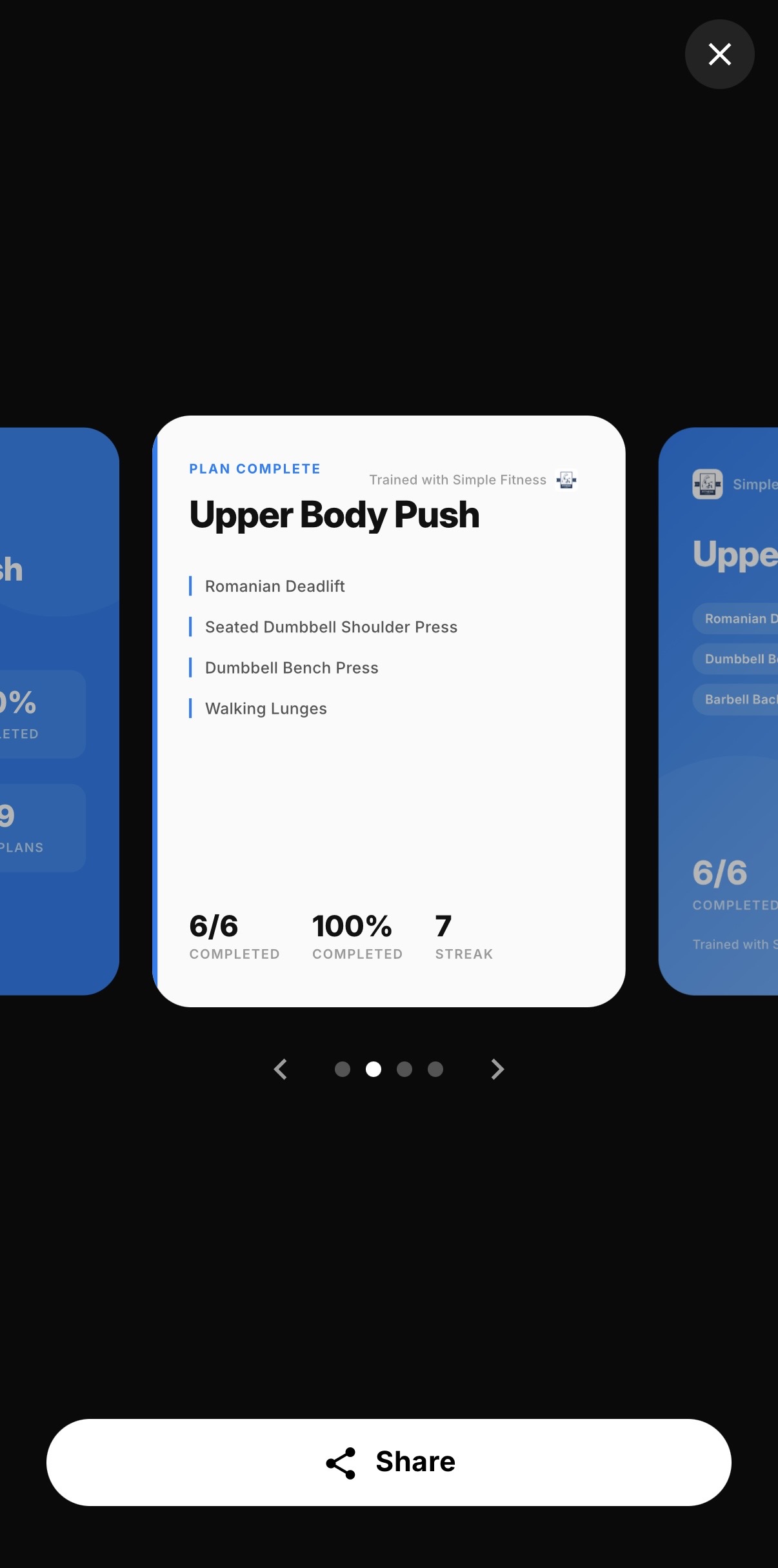
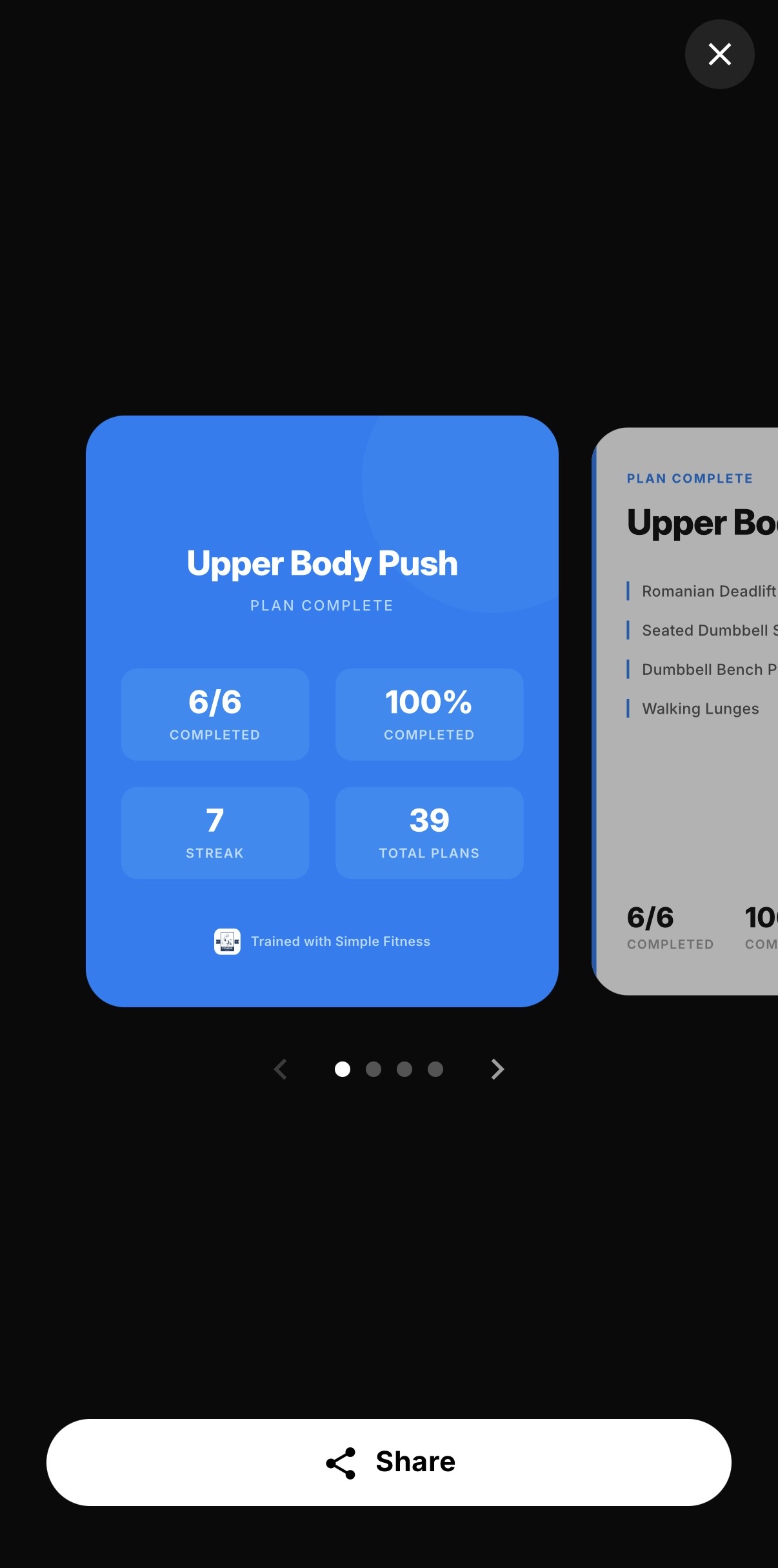
Clients pick the one that feels right for them and share. The variety means it doesn't look repetitive in their feed over time, which makes them more likely to keep sharing session after session.
The Compounding Effect
Here's what makes this feature worth paying attention to. It compounds.
A single client sharing a single workout reaches everyone who follows them. If even one of those people asks about their training, that's a warm referral that cost you nothing. Now multiply that across your entire client base, over weeks and months of completed sessions. It's the same mechanism that fills most new coaches' rosters in the first place, which is why this feature gets a section of its own in our guide to getting your first 10 online coaching clients.
Think of it like a flywheel. Each share is a small push. But every push adds to the last one, and over time the momentum builds into something no ad budget can replicate: a network of real people, in real communities, publicly associating with your brand because they genuinely want to.
The coaches who benefit most from this feature aren't doing anything special. They run good sessions and deliver good programming through the QuickCoach app. The sharing feature does its job quietly in the background.
How to Get the Most Out of It
A few things worth doing to maximise the impact.
Make sure your branding is set up in QuickCoach Pro
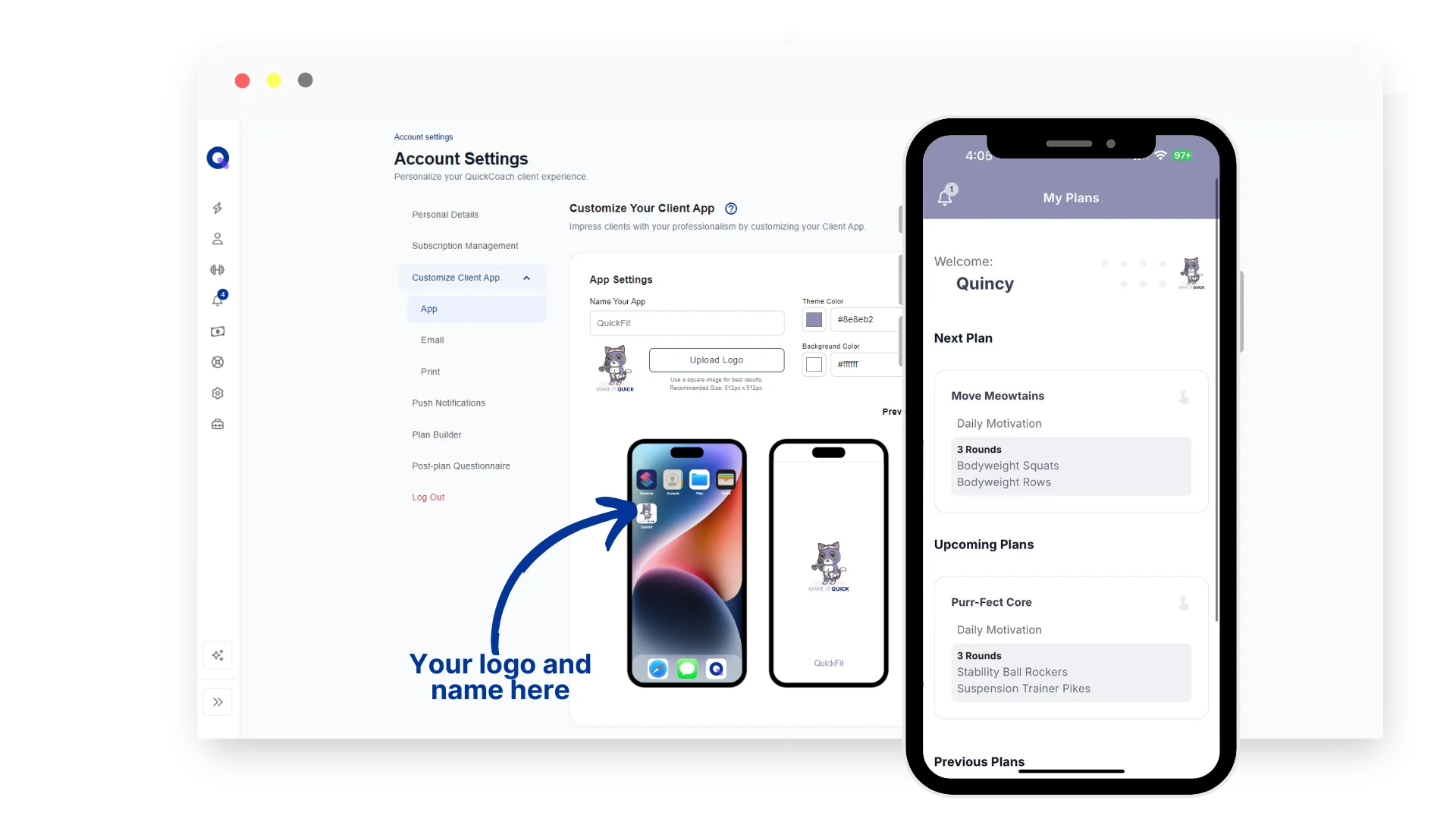
The templates pull from your logo and brand colours automatically, but only if you've set them up. If you haven't customised your client app yet, that's the first step. Head to Account Settings, click Customize Client App, and upload your logo and colours. Our walkthrough on building a custom branded coaching app covers the setup in about five minutes. Once that's done, every future share your clients make will carry your branding.
Let clients know the feature exists
Most clients won't notice a share prompt the first time it appears. Mention it when you onboard a new client. Something as simple as 'when you finish a session, you can share it straight to your socials if you want to' is enough to plant the seed. You don't need to push it hard. Just make sure they know it's there.
Celebrate clients who do share
When a client posts a completed workout, acknowledge it. A quick reply saying you saw their post goes a long way, sent on the post or wherever you normally talk to clients. It reinforces the behaviour and makes them more likely to do it again. Clients who feel seen share more, and clients who share more bring in more of the people you want to coach.
Free vs Pro: What's the Difference?
Workout sharing is available to all QuickCoach coaches, free or paid. Your clients can share their completed workouts regardless of your subscription tier.
The difference with QuickCoach Pro is branding. On the free tier, shares go out in a default template. On Pro, all four templates are automatically styled with your logo and brand colours, so every share your clients make is a branded piece of content carrying your business identity rather than a generic graphic.
For coaches who are serious about building a recognisable brand, that distinction matters. Your clients are putting content into their networks either way. The question is whether that content is working for you or not.
Branding is one of several things that come with the paid tier. The full rundown of QuickCoach Pro features and pricing covers what else you get for $32.50 a month on annual billing. If you're still weighing up whether to pay at all, our guide to the best free coaching software in 2026 shows how the free tier stacks up against the rest of the market.
You can upgrade to QuickCoach Pro at quickcoach.fit.
Frequently Asked Questions
Is workout sharing available to all clients?
Yes. Any client on any coach's QuickCoach app can share their completed workouts to social media. The difference between free and Pro is whether those shares carry your branding.
What's the difference between free and Pro workout sharing?
On the free tier, shares go out in a default template. On QuickCoach Pro, all four templates are automatically styled with your logo and brand colours, so every share your clients make is a branded piece of content carrying your business identity.
Do I need to design the share templates myself?
No. The templates apply your brand colours and logo automatically once you've set them up in Account Settings. You don't need to design anything yourself.
Where can my clients share their workouts?
To any platform their device supports, including Instagram, Facebook, Messenger, WhatsApp, and X. The share prompt uses the device's native share sheet, so whatever apps they have installed will be available.
Questions about the sharing feature or anything else in the QuickCoach app? Reach out at support@quickcoach.fit.
Last updated June 2026.