If you're using the QuickCoach app to run your coaching business, you already know the basics work well. Create plans, assign them to clients, track their progress. It's fast, it's simple, and it doesn't get in the way. The free tier even includes the workflow features most coaches lean on hardest, including plan cloning and saved templates for repeating programs.
But there's a ceiling to what the free tier can do for your brand, and that's exactly where QuickCoach Pro comes in.
Worth knowing up front: Hale Health acquired QuickCoach in December 2025, and the platform is now actively being developed again. Paid subscribers are first in line for the features coming out of that investment. The most recent proof of that is the July 2026 release, which put nutrition coaching and multi-habit tracking into Pro.
This article breaks down every Pro feature, what it does, why it matters, and how much it costs. If you've been on the fence about upgrading, consider this your definitive guide.
Quick answer
QuickCoach Pro is the paid tier of the QuickCoach app. It costs $39/month on monthly billing, or $32.50/month effective when paid annually ($390/year). Pro removes the 20-client limit (unlimited clients) and adds your own custom branded client app, branded emails and printouts, push notifications, Training Insights, multi-habit tracking, and nutrition. There is a 14-day free trial. Coach Workflows and the Nutrition Booster Pack are optional add-ons billed separately. Client Billing works on Free and Pro, and Pro lowers its platform fee from 10% to 3.5%.
Quickfire answers about QuickCoach Pro
- Is there a free trial of QuickCoach Pro?
- Yes. QuickCoach Pro comes with a 14-day free trial, and the upgrade button in the app reads 'Start free trial' until you've used it.
- Does QuickCoach Pro charge per client?
- No. QuickCoach Pro is a flat $39 a month, or $390 a year, for unlimited clients, so the price doesn't climb as your roster grows.
- Is nutrition included in Pro or an add-on?
- Nutrition is included in QuickCoach Pro: food search, food photo scanning, calories, macros and a client food log (photo results are estimates). The optional Nutrition Booster Pack adds barcode scanning only.
- Is habit tracking on the free plan?
- Yes, single habit tracking is on QuickCoach Free. Pro adds multi-habit tracking, with rich check-ins, ready-made habit packs and full habit history.
- Do clients download my branded app from the App Store?
- No. Clients don't need the App Store to get your app. It installs straight from the browser as a progressive web app, so it lands on their home screen and behaves like any other app. On Pro, it installs with your logo, name and colours.
- Can I cancel QuickCoach Pro at any time?
- Yes. You can cancel QuickCoach Pro from your account settings with no lock-in contract or cancellation fee, and Pro features stay on until the end of the period you've paid for.
- Is there a discount if a friend refers me?
- Yes. Through Free with Friends, a coach referred by a friend gets 50% off their first month of QuickCoach Pro.
What's Included in QuickCoach Pro?
At a glance, Pro lets you:
- Work with unlimited clients
- Brand your client app, welcome emails and printouts
- Send push notifications to clients
- Unlock Training Insights for your clients
- Track multiple habits with rich check-ins, ready-made packs and full history
- Build nutrition into client plans with food search, calories and macros
- Keep your full client workout and file history
- Get priority support with same-day replies
- Charge clients through Client Billing with a 3.5% platform fee, down from 10% on Free
Two optional add-ons, billed separately from Pro, sit on top of that: Coach Workflows and the Nutrition Booster Pack. Both are covered in their own section below.
Here's each core feature in detail. Jump straight to the one you care about:
What Is QuickCoach Pro?
QuickCoach Pro is the premium subscription tier of the QuickCoach app. It's built for coaches who want to deliver a more polished, professional experience to their clients, without needing to manage a complicated tech stack or spend thousands on a custom app.
Think of the free QuickCoach app as a solid foundation. Pro is what you build on top of it when your brand starts to matter as much as your programming.
And brand starts to matter earlier than most coaches expect. More than half of paying coaches are still within the free plan's 20-client limit. They go Pro for the branded client experience, not because they hit a cap. You do not need a big roster to look established.
Every Pro Feature in Detail
Each Pro feature below comes with a screenshot from the app, so you can see what you're getting before you upgrade.
1. Custom Branded Client App
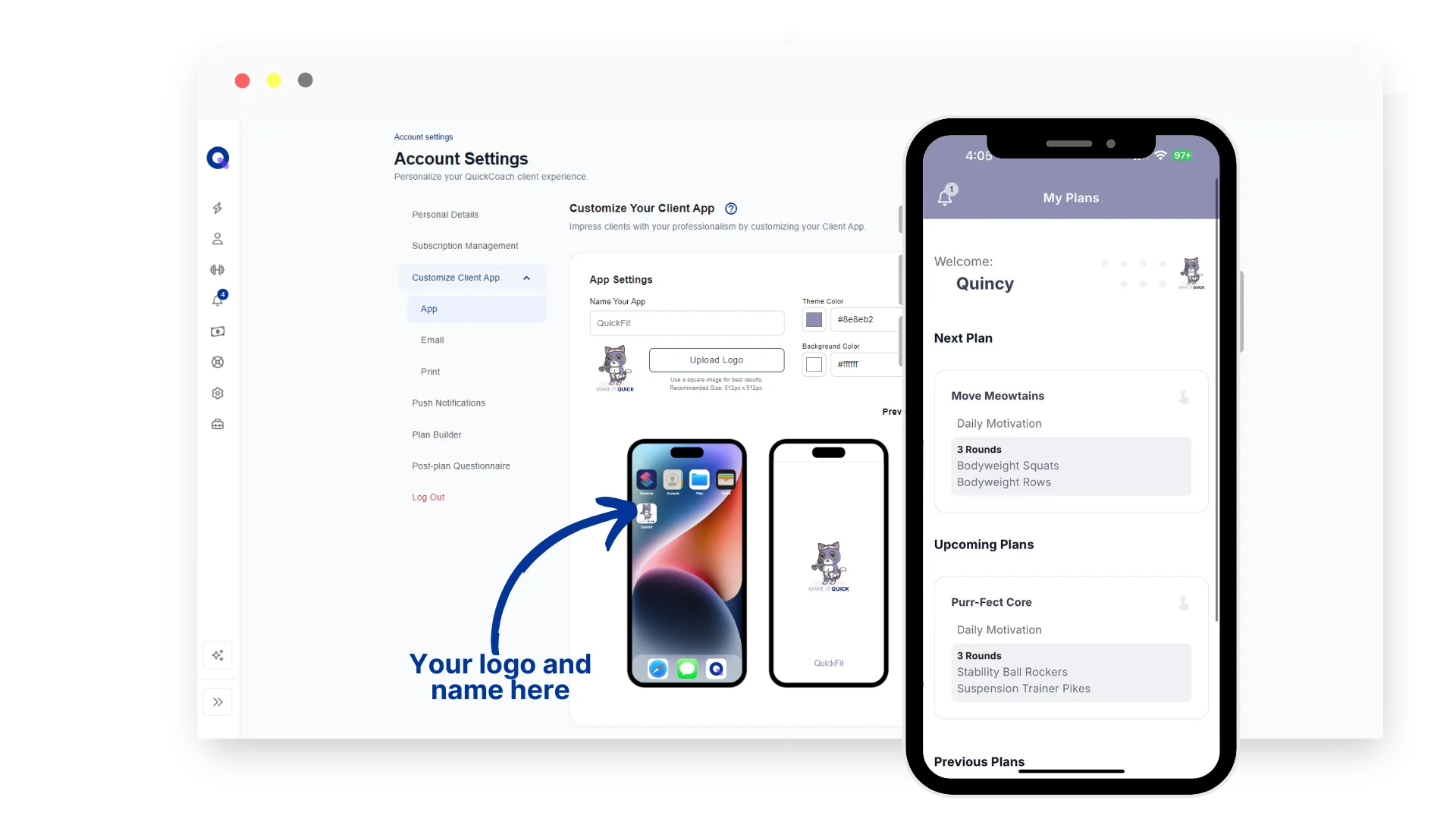
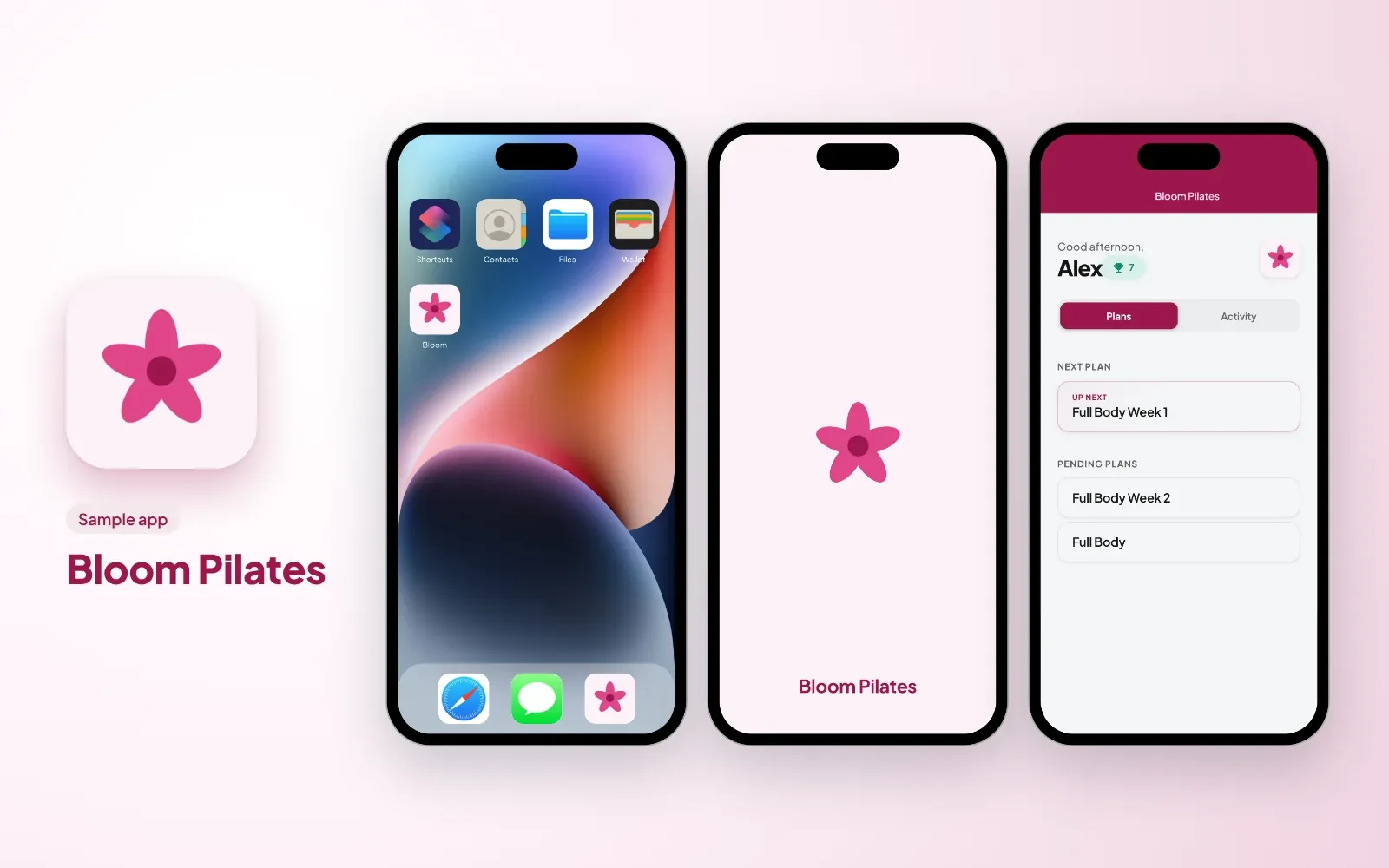
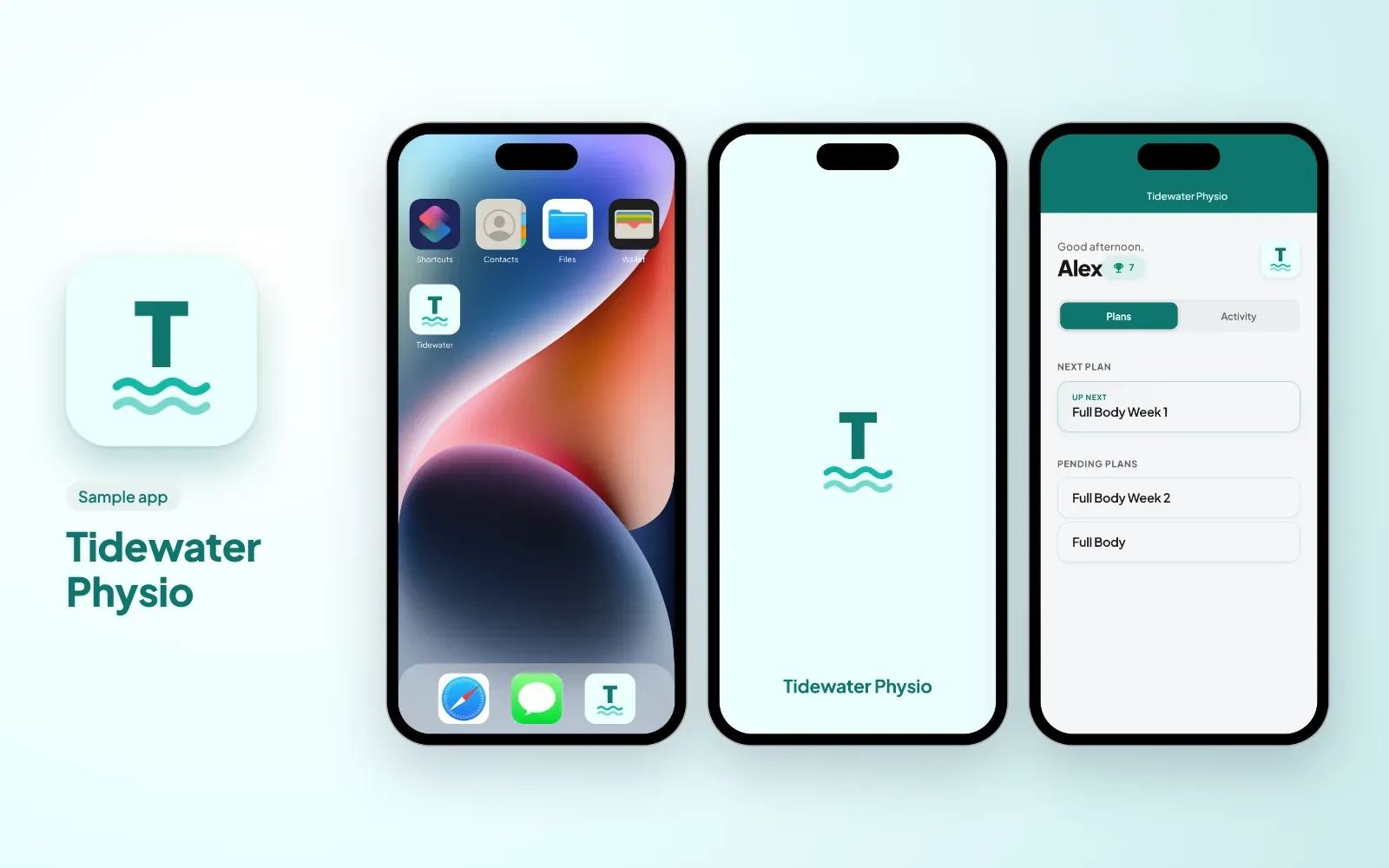
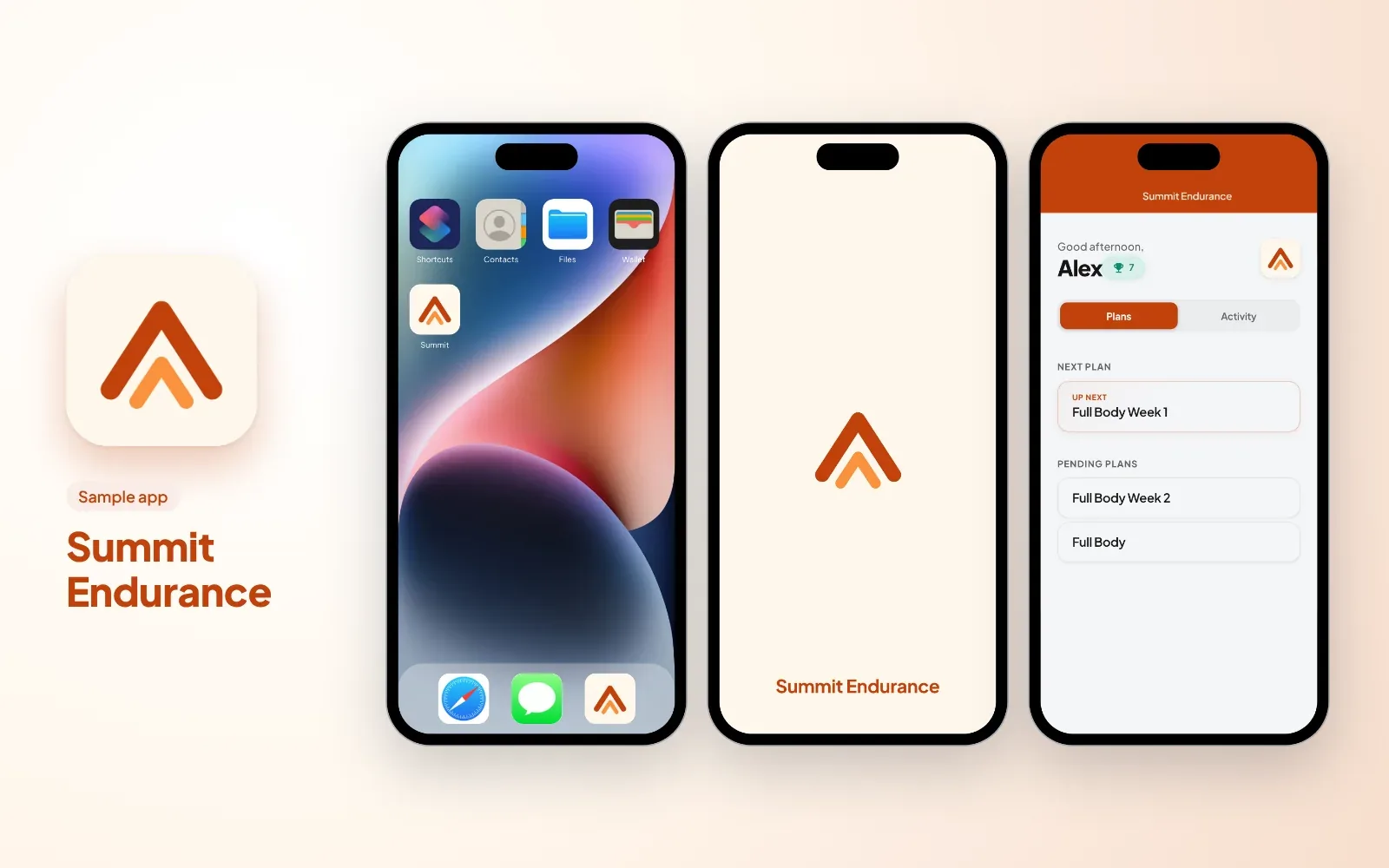
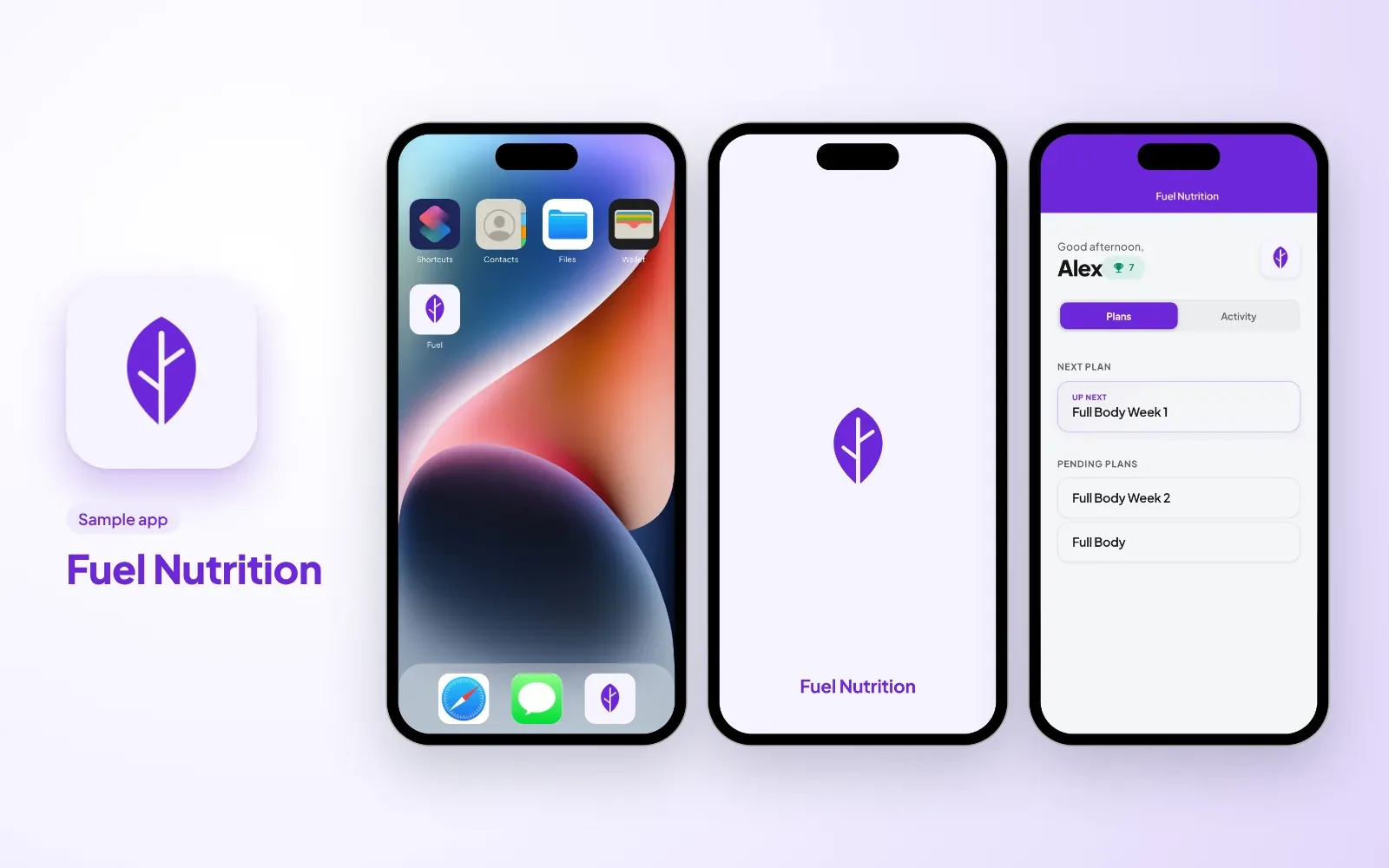
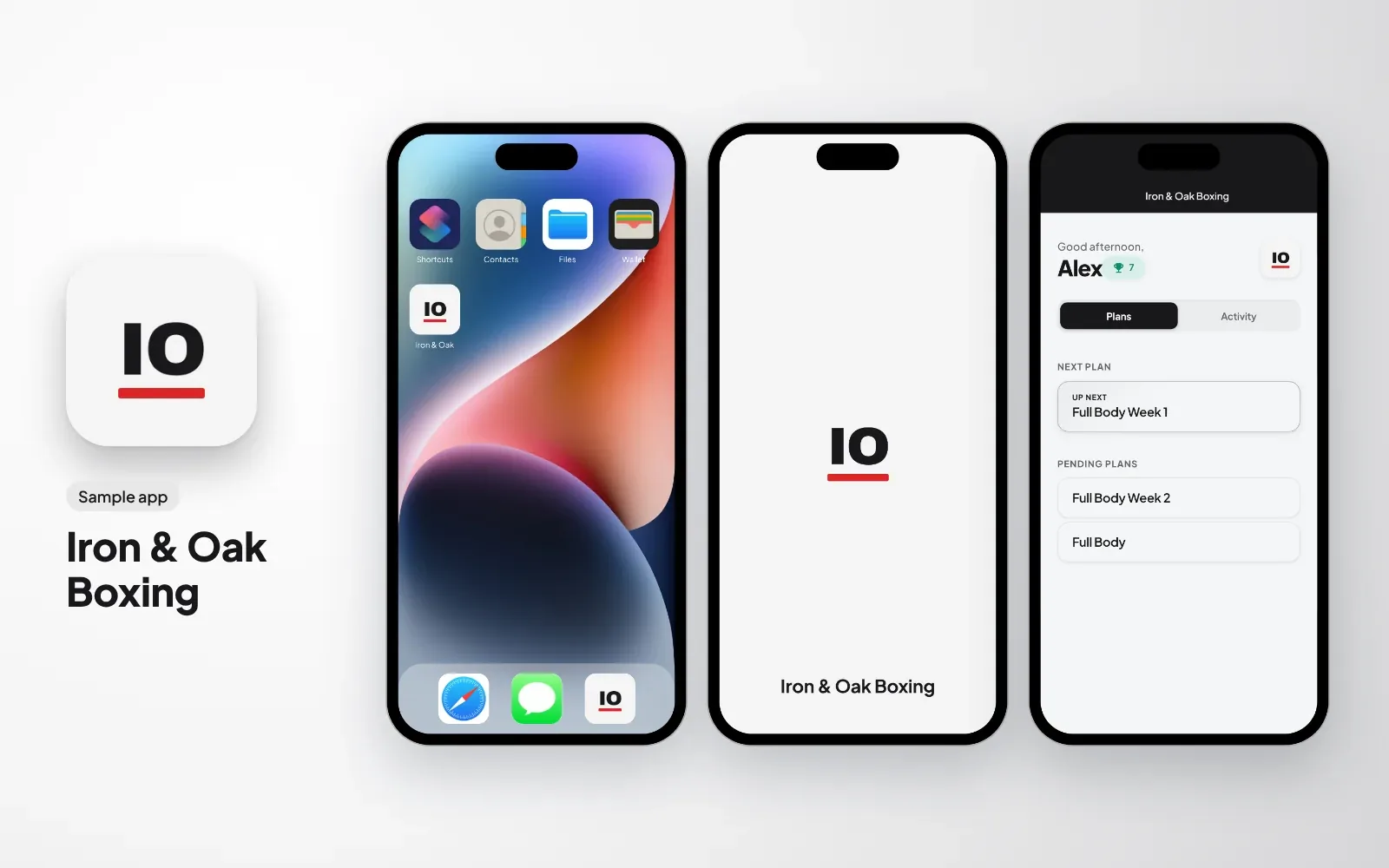
This is the flagship Pro feature. With QuickCoach Pro, your clients don't install a generic QuickCoach-branded app. They install your app. You choose the name, upload your logo, and set your brand colours. When your client taps their home screen icon, they see your business, not ours. A custom-branded app is not the same as a full white-label app, and the difference decides the cost; the distinction is covered in the branded app versus white-label app guide.
The app is installed directly from the browser (not the App Store or Play Store), which means no waiting for approvals, no gatekeeping, and no additional cost per user. It works on both iPhone and Android.
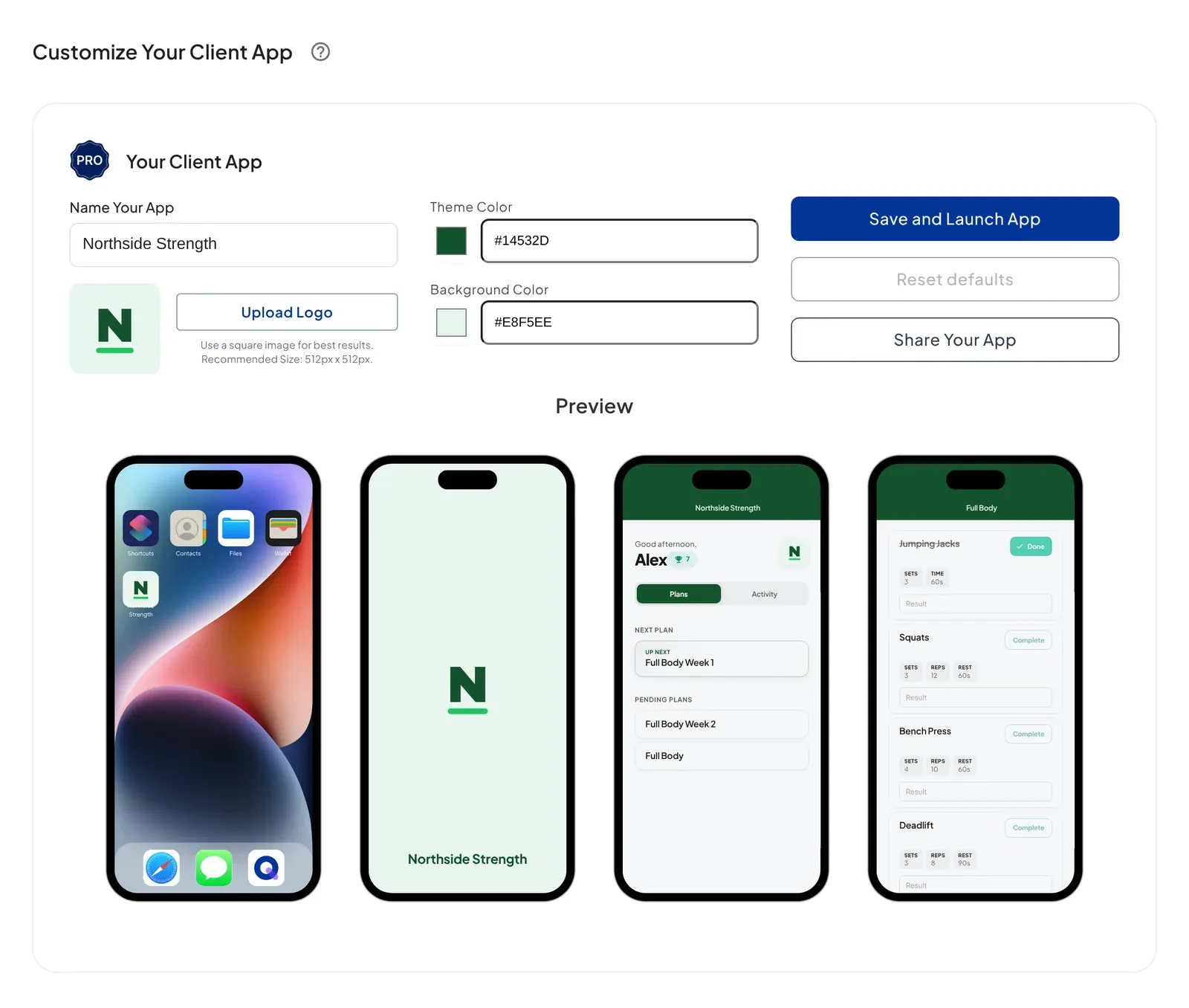
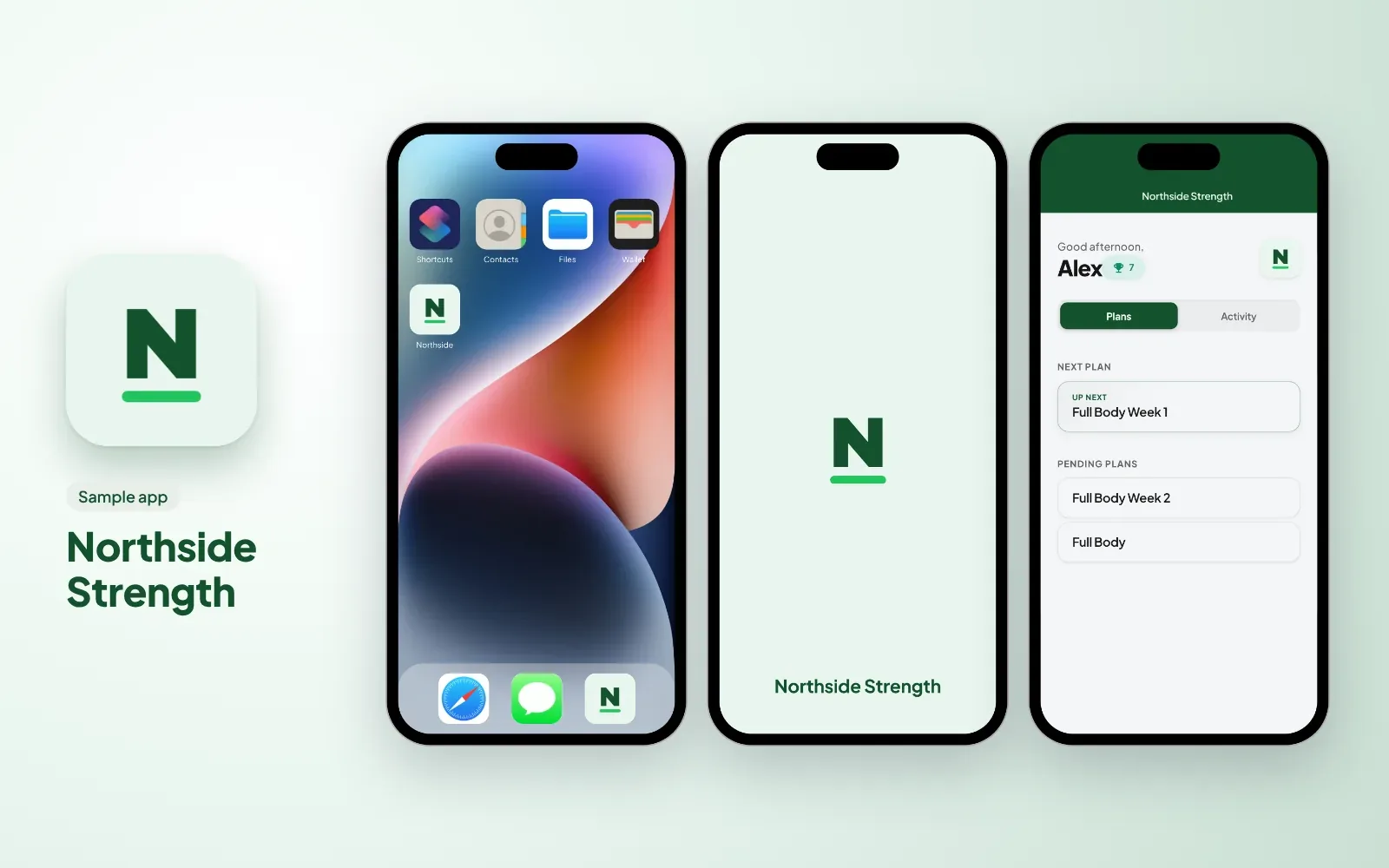
What that looks like in practice, across the kinds of coaching businesses that use QuickCoach. These six sample apps were made up for this page, each with its own logo and colours:
2. Branded Client Welcome Email
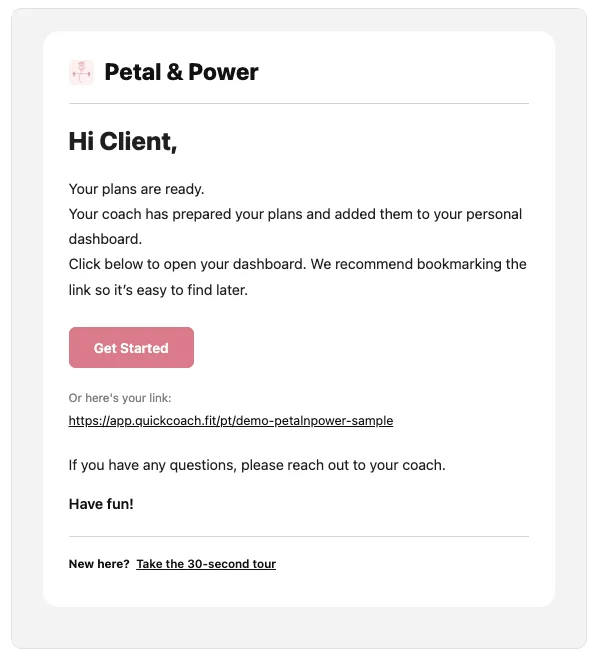
First impressions count. When a new client receives their onboarding email, it arrives with your logo, your colours, and your business name, not a generic QuickCoach template. You can customise the header colour, title colour, and button colour to match your brand identity. More on why branded client emails matter and what they signal to your clients if you want the full case for turning them on.
3. Branded Plan Printouts
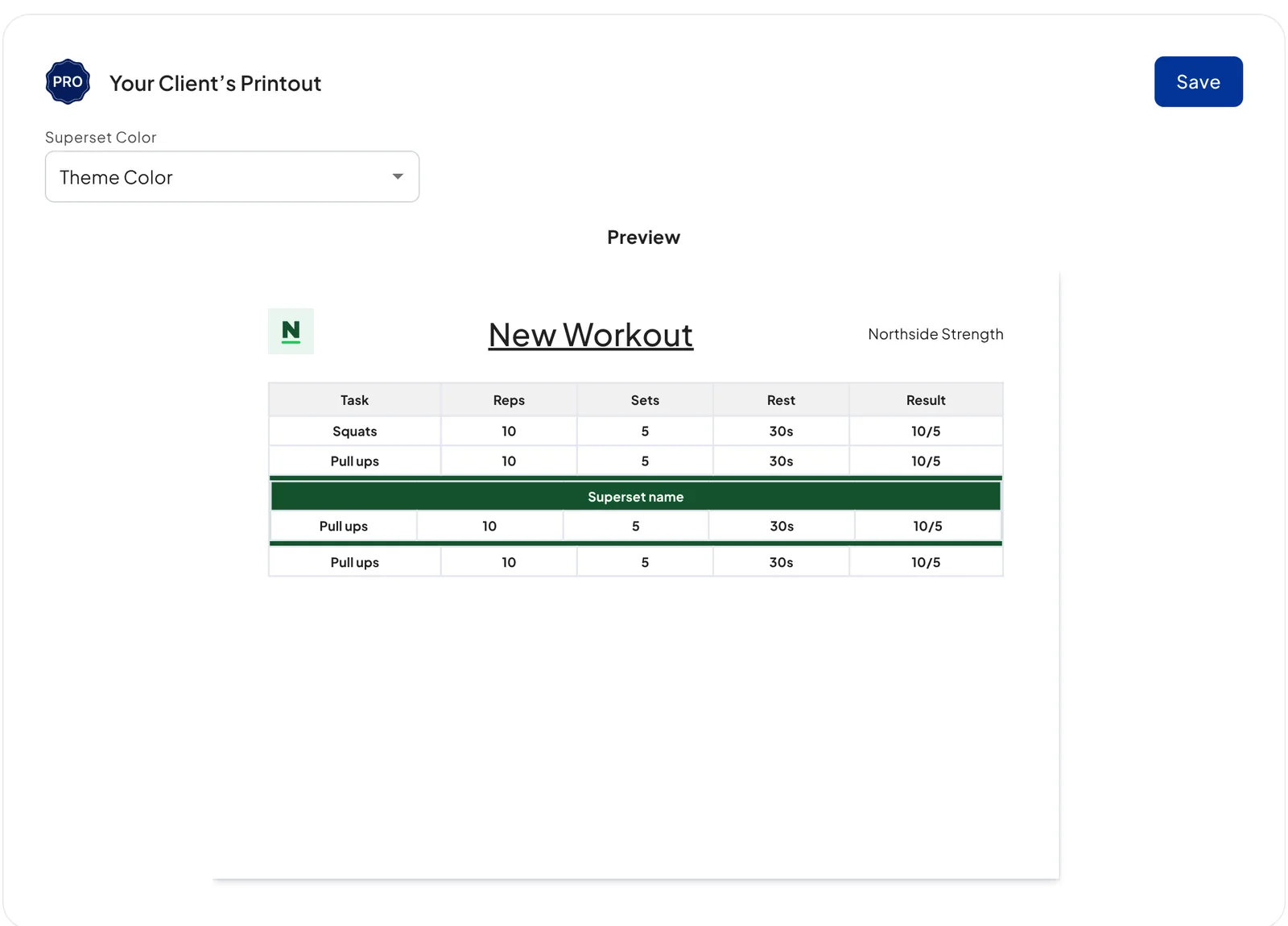
If you or your clients prefer a printed or PDF version of their training plan, the printout carries your branding. Your logo and business name appear at the top, and you can select your superset colour to match your visual identity.
4. Upload Images to Tasks
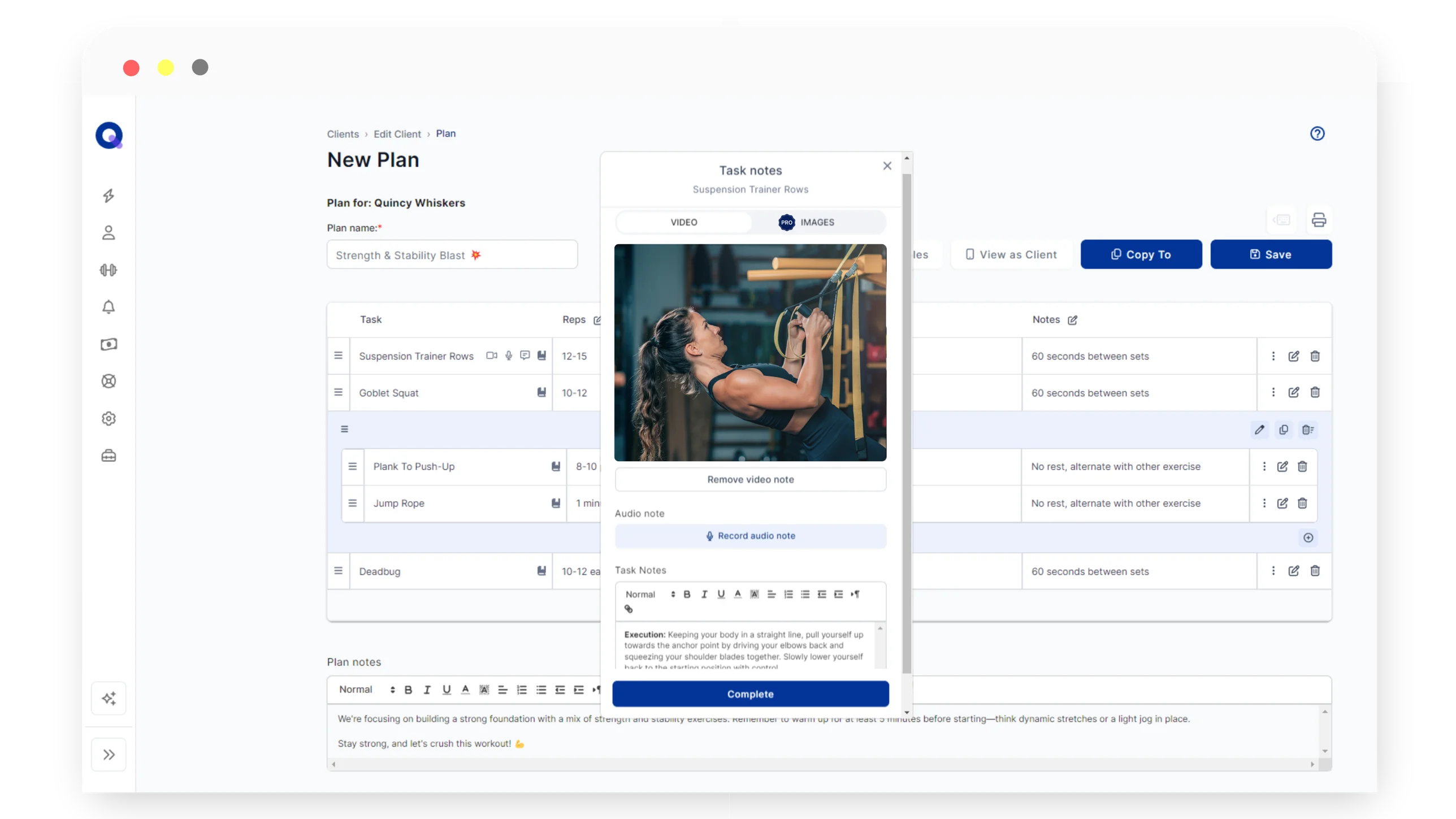
Show your clients exactly what you mean. With Pro, you can attach images directly to tasks, whether that's a form demonstration, technique cue, or equipment reference. No more relying on written descriptions alone.
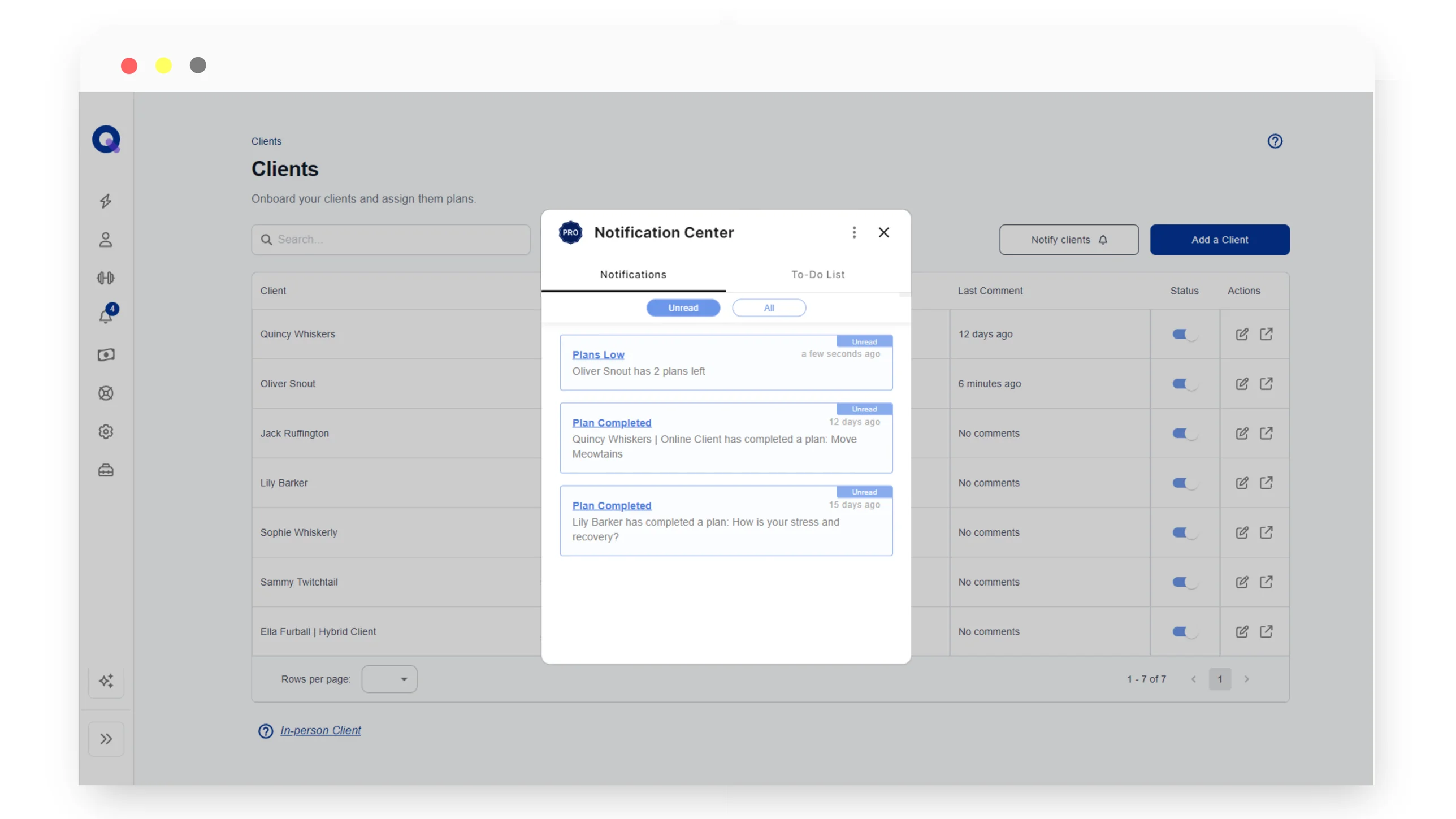
5. Client Activity Notifications
Stop chasing your clients for updates. QuickCoach Pro notifies you automatically when:
- A client completes a plan (with or without feedback)
- A client skips a plan
- A client is running low on plans (you set the threshold, up to 5 plans out)
You choose how you receive each notification: in-app, push notification, or both. That means you can stay across your entire client base without manually checking in on each one.
6. Send Push Notifications to Clients
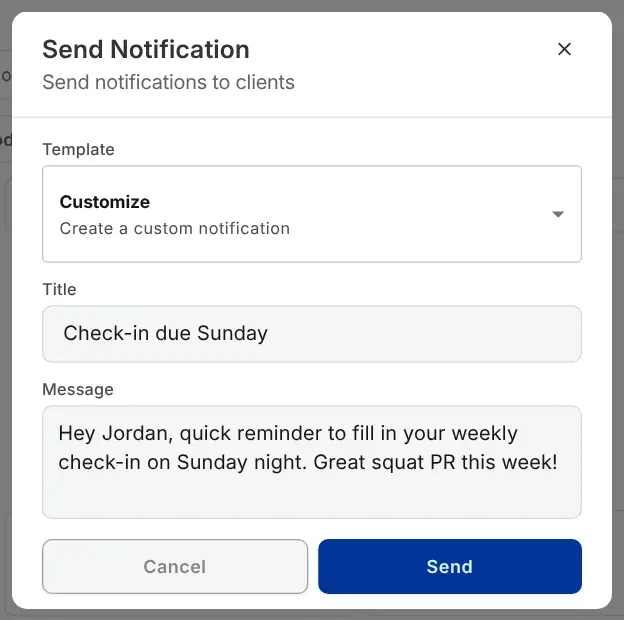
Push information to your clients directly through the QuickCoach app. Send custom notifications to one client, a select group, or your entire roster. Notifications land in their in-app Notification Centre, and if they've enabled push notifications, they'll get a banner on their phone too.
This is particularly powerful for time-sensitive announcements, motivation check-ins, or reminders around upcoming training blocks. For a walkthrough of setting up your own app icon and theme, see our guide to building a custom branded coaching app.
7. Training Insights for Your Clients
Training Insights give you and your clients a clear picture of training activity over time. You can see who is building momentum and who is drifting, and step in before a quiet week becomes a cancelled subscription. Clients see their own progress too, which does more for adherence than any reminder you could send.
Each client's Activity view rolls up the numbers that keep people coming back: a completion percentage, current and best streaks, total plans done, a weekly activity chart, and exercise completion by plan. And because the dashboard carries your branding, it renders in whatever colours and light or dark theme you set for your app.
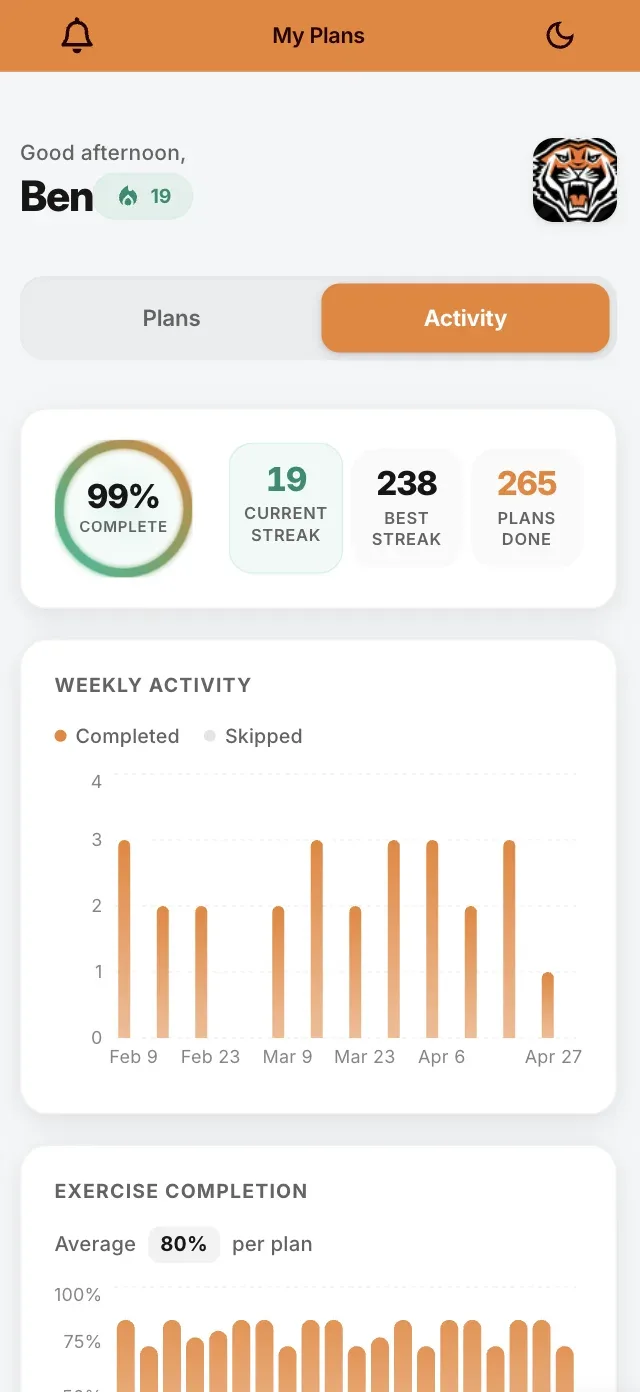
Light theme. A client's Activity view with completion rate, streaks, and weekly training.
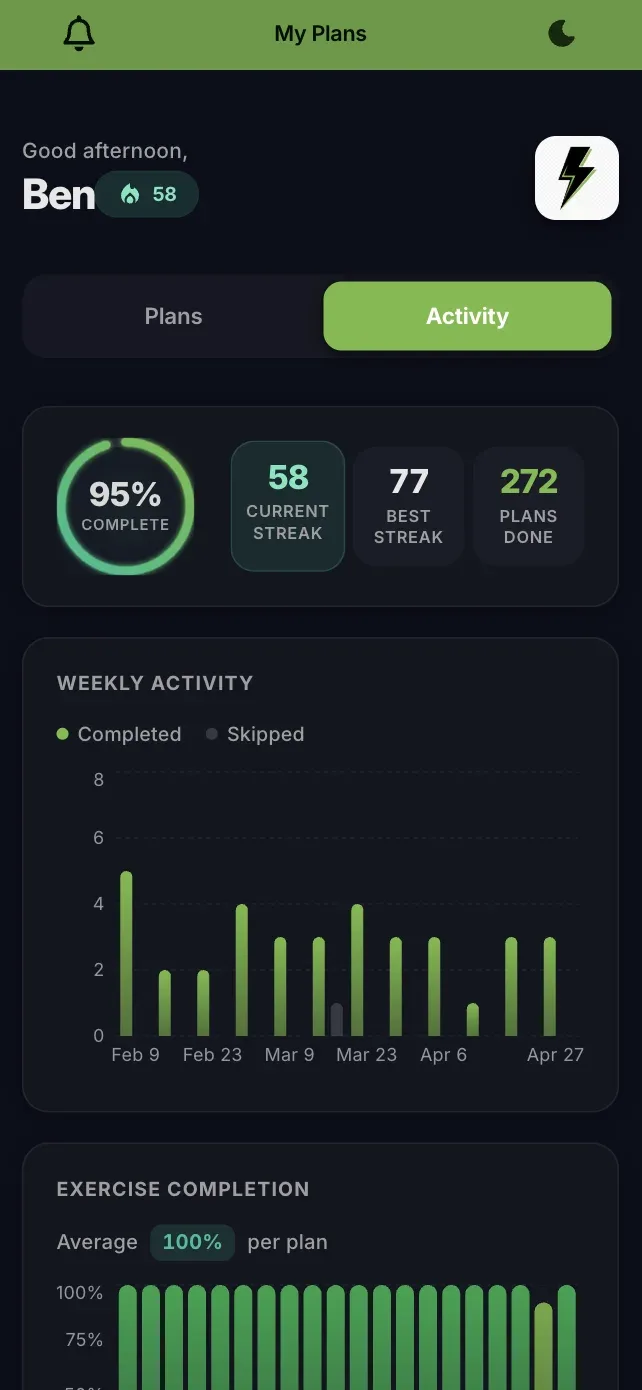
Dark theme. The same insights in your brand colours, whichever palette you set.
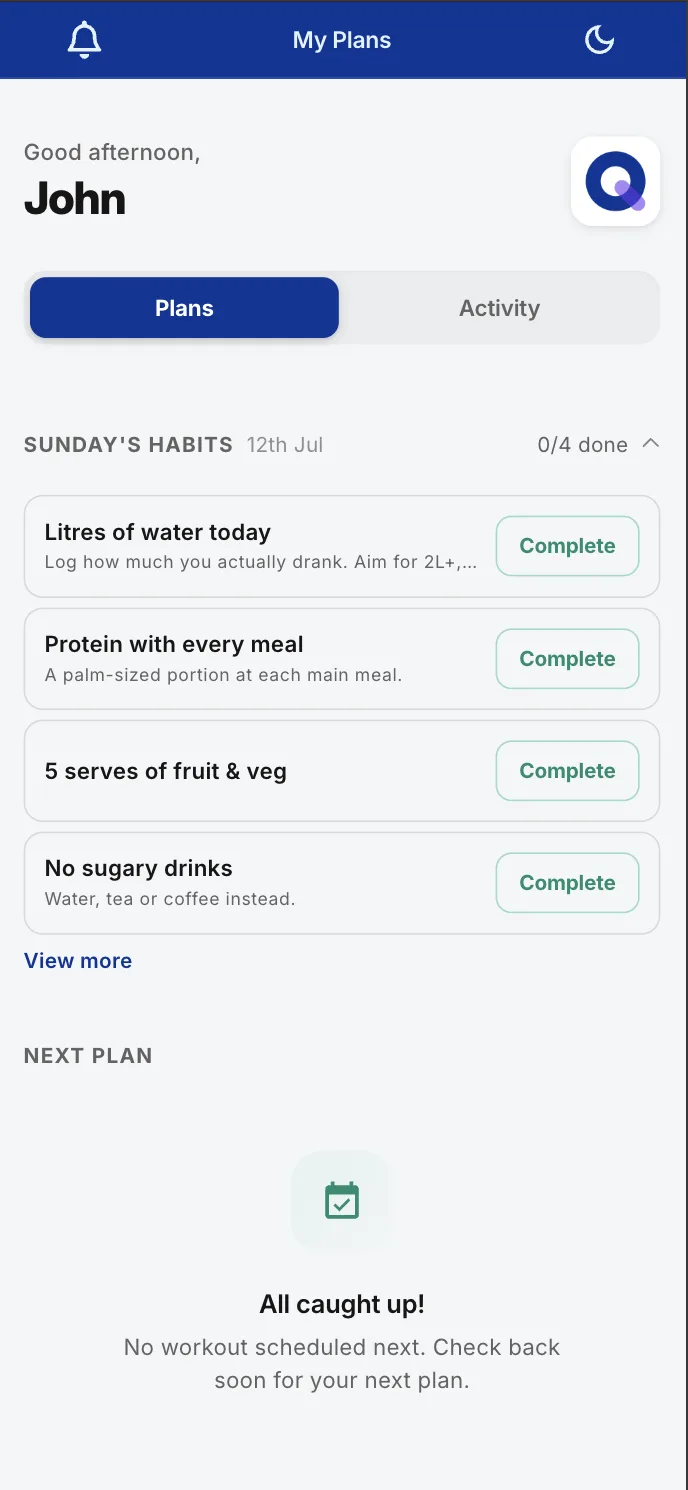
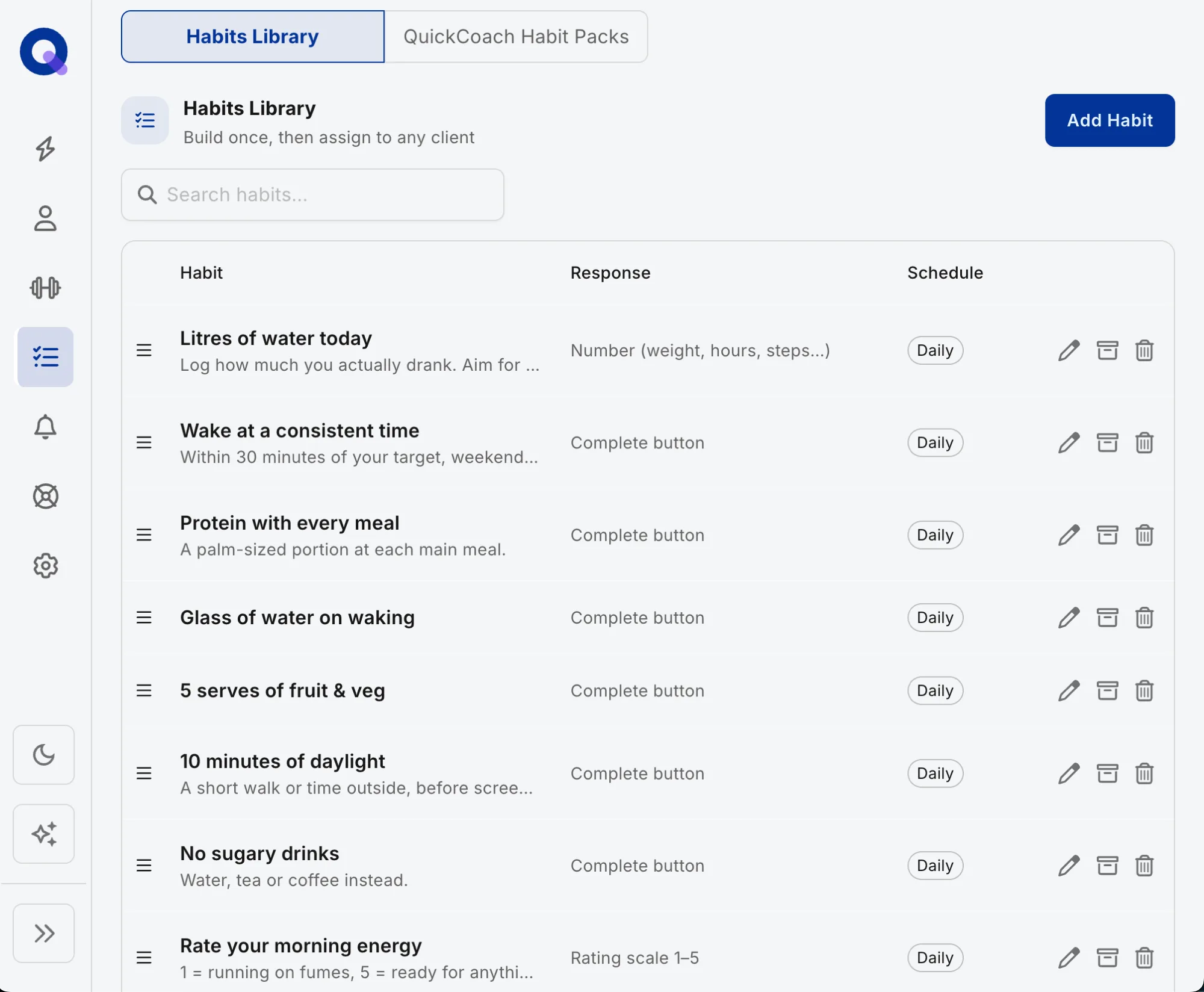
8. Track Multiple Habits with Rich Check-Ins
Habit coaching in Pro goes well beyond a daily tick box. Assign multiple habits per client, and collect rich check-ins rather than a bare yes or no. Ready-made habit packs cover the ground most coaches assign anyway (sleep, hydration, steps, protein), so you can attach a proven set in seconds instead of building from scratch.
Every check-in is kept in a full habit history, so when a client says "I've been consistent", you can both look at the record. If check-ins are central to how you coach, our guide to running client check-ins pairs well with this feature.
9. Build Nutrition into Client Plans
Pro adds nutrition to the same plans your clients already follow. Build meal planning into a client's week, and let clients search a food library of over 2.3 million verified food items, each with calorie and macronutrient information. Clients can also take a photo of their food to help identify and log it, with estimated calories and macros attached (photo results are estimates, not a substitute for a label). Everything lands in a daily food log in the app, and you can review their nutrition activity the same way you review their training.
On the client side, food logging lives in a Food Diary tab. Clients search the same food library, add items to breakfast, lunch, dinner or snacks, and watch their daily calories and macros add up.
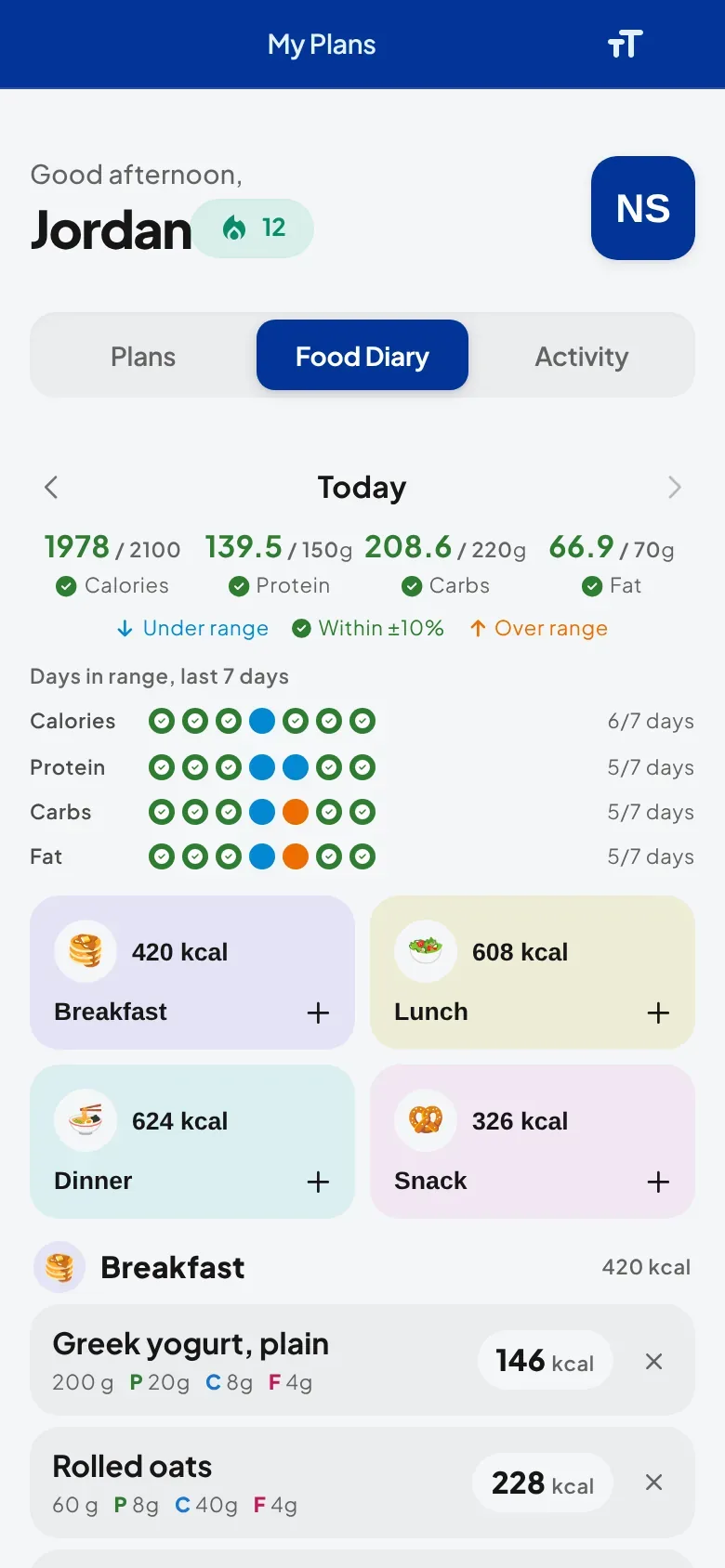
Food Diary. Daily calories and macros roll up by meal as clients log.
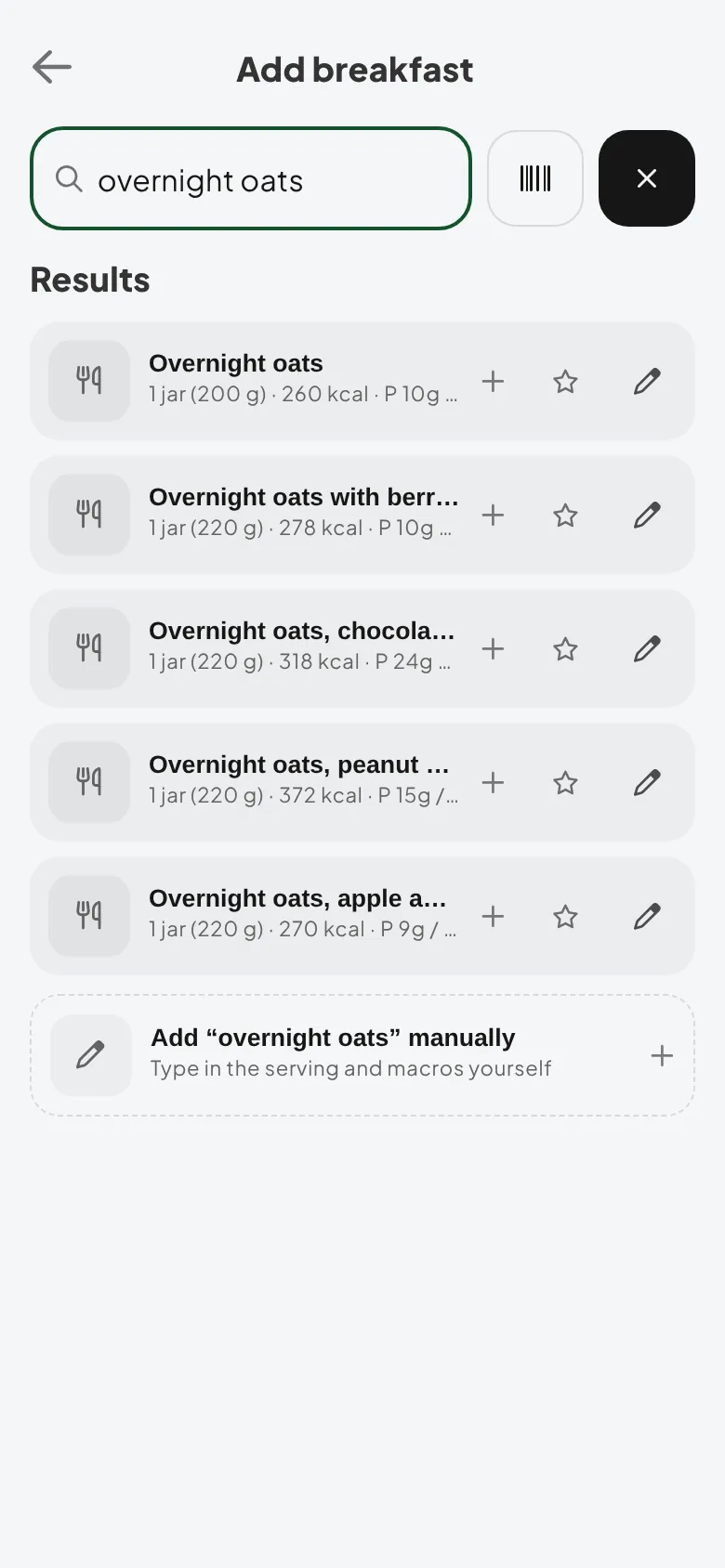
Food search. The same verified library on the client's phone, with a star to save the foods they eat most.
On your side, everything a client logs lands on their profile under History, in a Food Logging tab: a 14-day trend of calories and macros, how many days each one landed in its target range, and the day's meals in full.
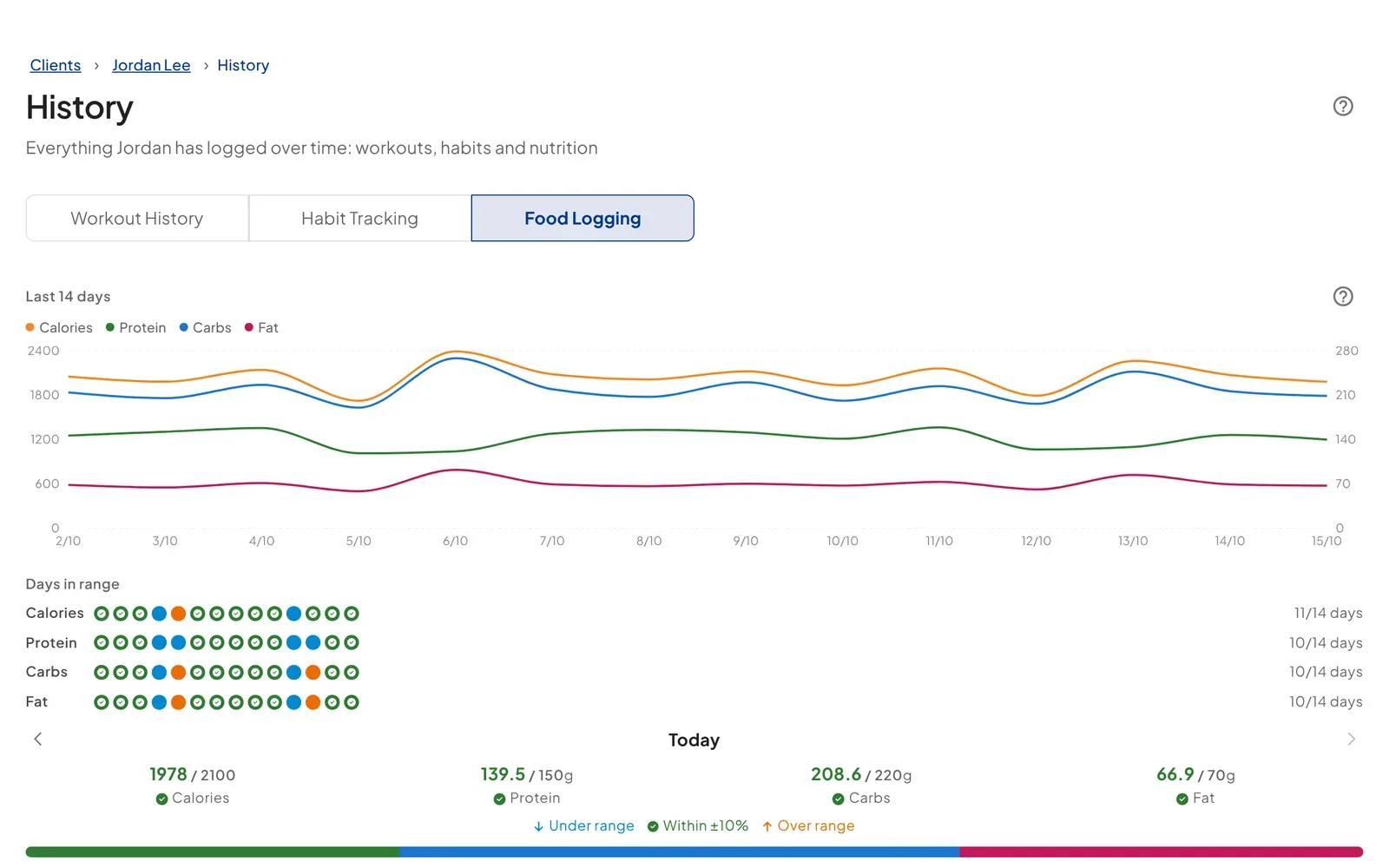
No separate nutrition app, no third-party subscription, no exporting data between tools. Food search, food photo scanning, calories, macros and the client food log are all part of the standard Pro subscription. Clients who log a lot of packaged foods can add barcode scanning through the optional Nutrition Booster Pack, covered below. Most platforms bill nutrition as an add-on or park it on a higher tier, which is why the totals diverge so sharply once a roster grows. We priced that out across five platforms in what nutrition coaching software actually costs.
10. Assign Plans to Whole Groups with Client Groups
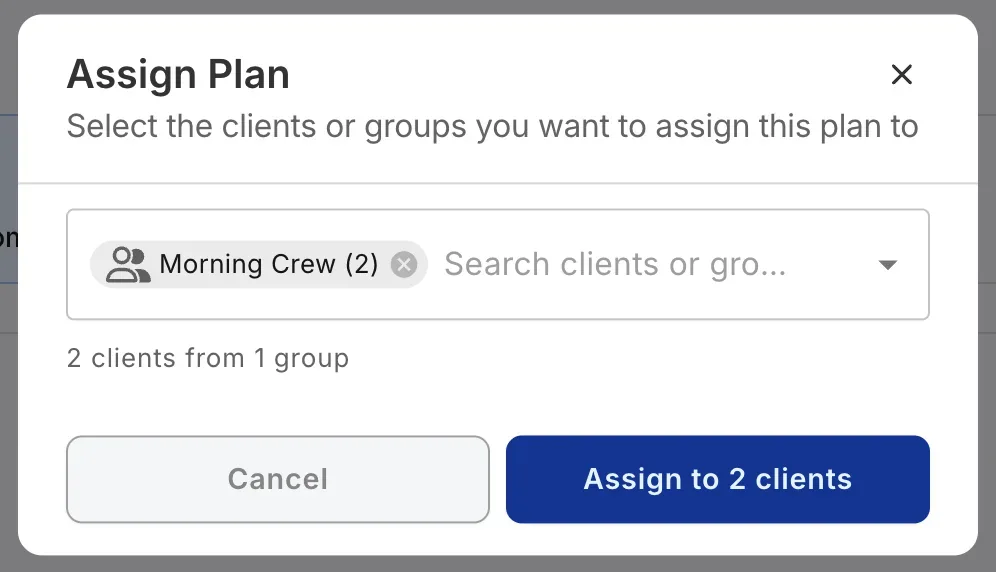
Pro lets you save named groups of clients right inside your Clients page, like "Morning Crew" or "Tuesday 6am", then assign a workout or plan to everyone in a group in one action. Groups appear above individual clients in the recipient picker, duplicate recipients are removed automatically, and the confirm button shows the real number of clients who will receive the plan. If you run group coaching or send the same programme to a squad, it turns a lap through your client list into a single click. Each group also carries a sign-up link so new clients join the group themselves, ready for bulk assignment. The full walkthrough is in the Client Groups release.
Optional Add-Ons: Coach Workflows and the Nutrition Booster Pack
Two newer product areas are available as optional add-ons. Neither is included in the $39/month or $390/year Pro subscription. Both are billed separately, and everything covered above works without them. Both arrived with the July 2026 nutrition and habits release, which covers what each one adds and where the line sits between them and core Pro.
Coach Workflows
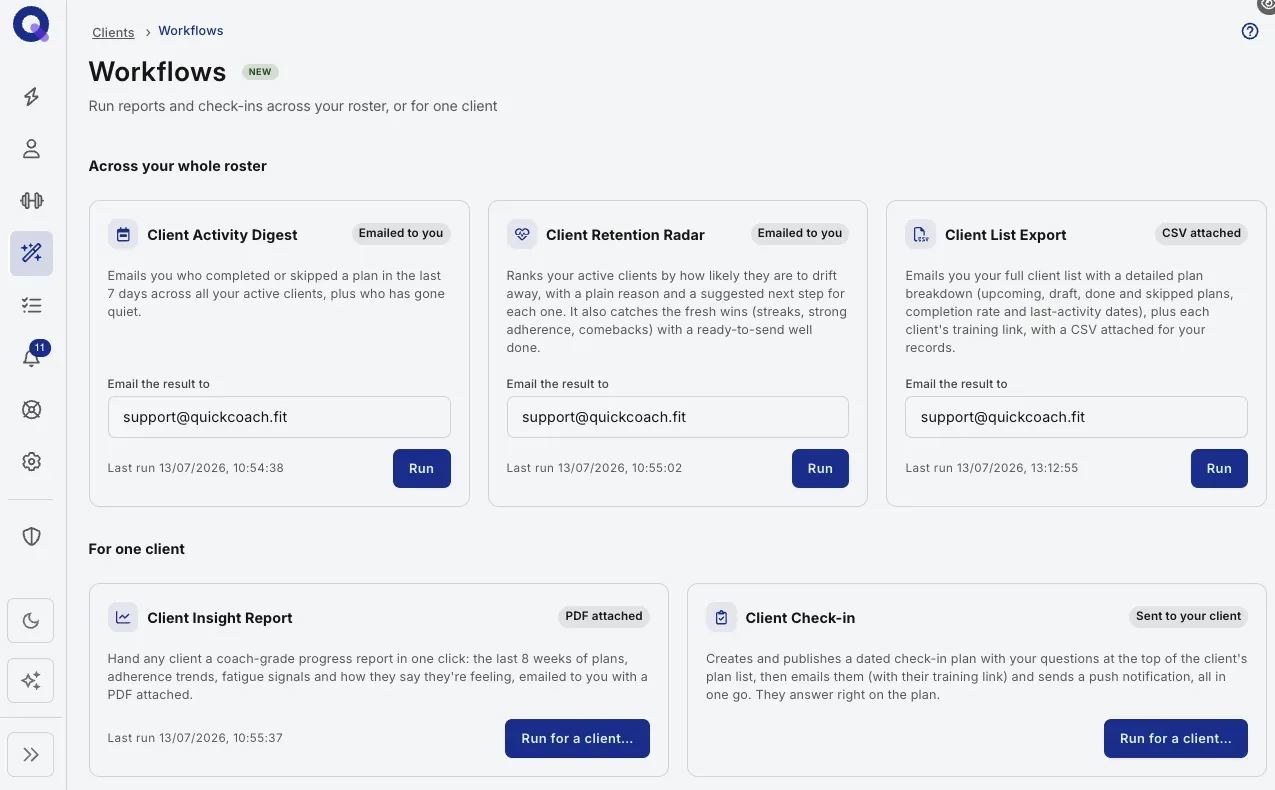
Coach Workflows automate the reading, summarising and reporting work that eats coaching hours. They summarise client check-ins, generate client activity and insight reports, flag clients who may need attention, and leave you walking into every follow-up already informed.
- Price: $14.99/month, billed separately from Pro
- What it adds: automated check-in summaries and client activity and insight reports
The add-on comes with five workflows. Each link below opens its Help Center guide in a new tab.
- Client Activity Digest: who completed or skipped a plan in the last seven days across your roster, plus who has gone quiet.
- Client Retention Radar: ranks clients by how likely they are to drift away, with a reason and a suggested next step for each.
- Client List Export: your full client list with plan breakdowns, completion rates and last activity, emailed with a CSV.
- Client Insight Report: eight weeks of one client's plans, adherence and how they've been feeling, as a PDF.
- Client Check-in: publishes a dated check-in plan with your questions, then emails and notifies the client.
Nutrition Booster Pack
The Nutrition Booster Pack speeds up client food logging for packaged foods. Clients scan the barcode and the item is identified and logged with its calories and macros attached, cutting the manual searching and typing out of daily logging.
- Price: $12.99/month, billed separately from Pro
- What it adds: barcode scanning
- What stays core: meal planning, food search, food photo scanning, calories, macros and the client food log are all included in Pro without this add-on
Client Billing on Free and Pro: Get Paid Inside QuickCoach
Client Billing is on every plan, Free included. You connect your own Stripe account, set up your packages once, and send each client a secure link to pay by card. A package is either one payment, such as a 12-week block, or a subscription that renews weekly, fortnightly, monthly, quarterly or yearly. Stripe hosts the checkout and pays out to your bank. QuickCoach never sees your clients' card details.
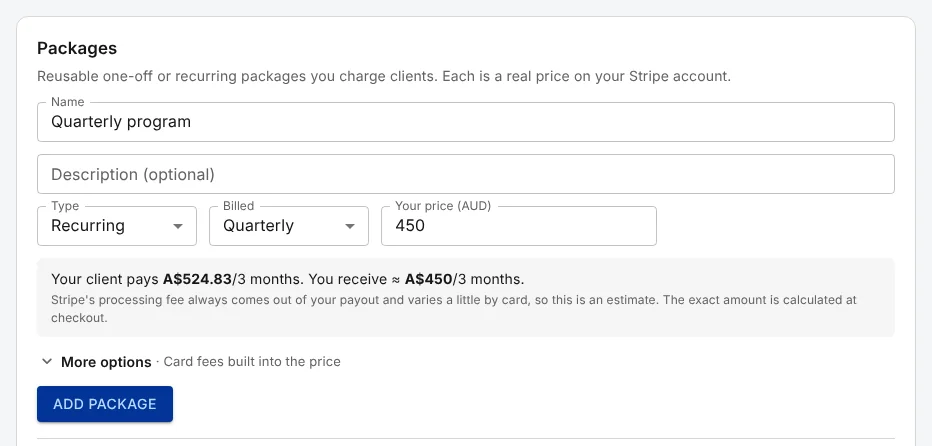
Charging a client takes a few clicks. Open their profile, click the Billing tile, pick a package, and email the link from QuickCoach or copy it into your own message. Every payment lands on the Payments tab, with Stripe's invoice or receipt one click away, and refunds and cancellations run from the same place.
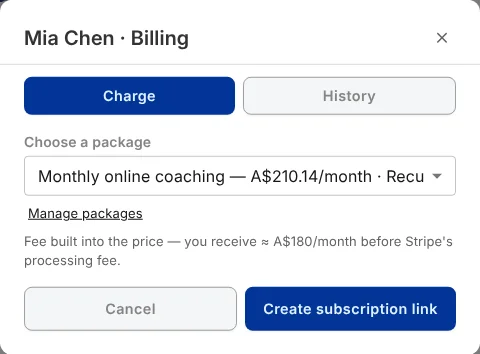
Choose a package. Pick it from the client's profile.
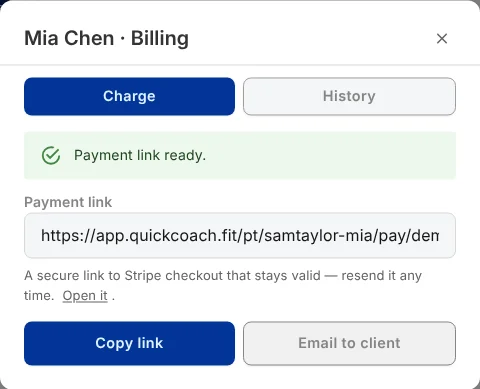
Send the link. Email it, or copy it into a text.
There's no monthly charge for Client Billing. Client Billing is optional: a 10% platform fee on Free or 3.5% on Pro when you use it, with Stripe's processing fee on top. Pro is where the platform fee drops:
| Fee | On Free | On Pro |
|---|---|---|
| QuickCoach platform fee | 10% | 3.5% |
| Stripe's processing fee | Stripe's card rate for your country | Stripe's card rate for your country |
| Monthly charge | None | None |
As a rough guide, a coach taking $3,000 a month through Client Billing pays $300 in platform fees on Free and $105 on Pro. The $195 difference is more than the $39 Pro subscription, so for coaches who run most of their income through Client Billing, Pro can pay for itself. The exact line, about $600 a month billed on monthly Pro, is worked through in Client Billing on Free vs Pro. Client Billing is also optional, and the platform fee only applies when you get paid through it.
Subscriptions move to your current plan's fee from their next payment, while one-off packages keep the fee they were created with. If you coach from Australia, card surcharges are no longer allowed from 1 October 2026, so read whether you can pass card fees on to clients before you set your package prices. The full walkthrough, including Stripe setup, refunds and what your client sees, is in the Client Billing release, and the Help Center covers what Client Billing is and the countries it supports. Using it means agreeing to the Client Billing Terms: QuickCoach is the software, and Stripe processes every payment.
What's the difference between QuickCoach Free and Pro?
The free QuickCoach app already covers the core coaching workflow, including single habit tracking, and it stays free for up to 20 active clients with no time limit. Pro is about branding, automation, nutrition, multi-habit tracking and removing the client cap. Here's how the two tiers line up side by side.
| Feature | Free | Pro |
|---|---|---|
| Active clients | Up to 20 | Unlimited |
| Branded client app | No (generic QuickCoach app) | Yes (your name, logo, colours) |
| Branded welcome emails | No | Yes |
| Branded plan printouts | No | Yes |
| Client activity notifications | No | Yes (in-app and push) |
| Ad-hoc exercises and images on tasks | No | Yes |
| Training Insights | No | Yes |
| Single habit tracking | Yes | Yes |
| Multi-habit tracking with rich check-ins | No | Yes (ready-made packs, full history) |
| Nutrition in client plans | No | Yes (food search, photo scanning, calories, macros, food log) |
| Branded workout sharing | No | Yes |
| Priority support | No | Yes |
| Client Billing (charge clients by card through Stripe) | Yes, 10% platform fee plus Stripe's fee | Yes, 3.5% platform fee plus Stripe's fee |
| Coach Workflows | No | Optional add-on, $14.99/month |
| Nutrition Booster Pack | No | Optional add-on, $12.99/month |
| Price | $0 | $39/month, or $32.50/month on annual billing |
How much does QuickCoach Pro cost?
QuickCoach Pro costs $39 a month on monthly billing, or $390 a year, which works out at $32.50 a month. That one price covers unlimited clients and every core Pro feature, so it stays the same at 21 clients or 300. Pro comes with a 14-day free trial. The two subscription options:
- Monthly: $39 per month (monthly billing)
- Annual: $390 per year, which works out to $32.50 per month effective (equivalent to two months free)
Both options include unlimited clients and every core Pro feature, with no per-client fees, so the price does not climb as your roster grows. The only things billed separately are the two optional add-ons above (Coach Workflows at $14.99/month and the Nutrition Booster Pack at $12.99/month), and nothing in the core feature set depends on them. Client Billing, if you use it, is charged as a platform fee instead: 3.5% on Pro against 10% on Free, plus Stripe's processing fee. You can cancel at any time from your account settings page. No lock-in contracts, no cancellation fees.
Weighing it against a free plan first? See how the free tier compares with other coaching software in 2026 before you decide to upgrade. Not sure Pro pays for itself yet? Our online coaching rate calculator shows how few clients you need to cover it.
How do I upgrade to QuickCoach Pro?
Upgrading takes about a minute. In the QuickCoach app, click 'Account & App Set Up' in the navigation, open 'My Subscription' and click 'Upgrade to Pro'. If you haven't used your 14-day Pro trial yet, the button reads 'Start free trial' instead. Pick Monthly or Annual on the switch above the plans before you check out. Payment runs through a secure Stripe checkout, and QuickCoach never stores your card details. New to QuickCoach? Start free at quickcoach.fit and upgrade from inside the app.
Once you upgrade, three things happen immediately:
- You receive a subscription receipt to your email
- Your Pro features are activated
- Your clients will be prompted to install your custom app the next time they open their account link in a compatible browser
Nothing about your existing plans, tasks, program templates, or client data changes when you upgrade.
What Happens If You Downgrade?
If you decide Pro isn't for you, you'll retain access to all Pro features until the end of your current billing period. After that, the following features will switch off:
- Your custom client app, branded welcome email, and branded plan printouts
- The ability to upload images to tasks
- Client activity notifications and Training Insights
- The ability to send push notifications to clients
- Multi-habit tracking and nutrition in client plans
Your clients won't see previously uploaded task images, and if they try to open the installed custom app, they'll be redirected to the standard browser version.
Client Billing keeps working on Free, at the Free fee. Live subscriptions move back to the 10% platform fee from their next payment, and your clients keep paying the same price, so on a package with the fees built into the price you take home a little less. One-off packages keep the fee they were created with.
Frequently Asked Questions
Will upgrading change my existing plans or clients?
No. Everything you've built stays exactly as it is. Upgrading adds features. It doesn't alter your existing setup.
Can I switch between monthly and annual billing?
Yes. Open 'My Subscription' in your account settings, click 'Manage subscription' on your Pro plan, and change your billing interval in the Stripe portal. The change takes effect at the end of your current billing period, so a switch from monthly to annual applies from your next renewal. Once you're on annual, any change waits until the year is up. Managing your Pro subscription walks through it.
Why isn't the QuickCoach app on the App Store?
Clients don't need the App Store to get your app. It installs straight from the browser as a progressive web app, so it lands on their home screen and behaves like any other app. The QuickCoach app is built as a Progressive Web App (PWA), which means it's installed through the browser rather than an app store. This keeps costs lower, reduces downtime, and makes it faster to ship improvements. It also means your branded version is available instantly when you set it up, with no App Store review process required. Installing the client app shows the steps on iPhone and Android.
Are Coach Workflows and the Nutrition Booster Pack included in Pro?
No. Both are optional add-ons billed separately from the Pro subscription. Coach Workflows ($14.99/month) adds automated check-in summaries and client reports. The Nutrition Booster Pack ($12.99/month) adds barcode scanning on top of the nutrition features already included in Pro, which cover food search, food photo scanning and the client food log.
Can I use Client Billing on the Free plan?
Yes. Client Billing works on Free and Pro, with no monthly charge on either. QuickCoach's platform fee is 10% on Free and 3.5% on Pro, and Stripe's processing fee comes on top. It's optional, and the platform fee only applies when you get paid through it. The Client Billing section above covers how it works.
Ready to upgrade? Visit quickcoach.fit to get started with QuickCoach Pro today.
Questions? Reach out at support@quickcoach.fit.
Last updated October 2026. Pricing verified against the QuickCoach plans page at the time of writing.