Almost every article about free versus paid coaching software is written by a company that wants you on the paid one. This is a page about when not to upgrade to paid coaching software, written by a company that sells a paid plan, which means the fair thing to do is show our working rather than ask for trust.
We can publish this because our free tier holds 20 clients with no time limit. Three of the five platforms coaches usually compare us with have no free plan at all, only a trial, so “do not pay yet” is not an answer they can give without leaving themselves off the page. It is an answer we can give, and for a lot of coaches reading this it is the correct one.
The short version
Do not upgrade while your roster still fits comfortably inside a free plan, your coaching model is still changing shape, and no paid feature would be in real use within a month. On a 20-client free tier that describes most coaches under about 16 clients. Upgrade when a specific limit starts costing you something, not before.
One thing to get out of the way first. This page is the inverse of our free vs paid coaching software guide, which answers the forward question: when should you upgrade, and what is the one number that tells you. That page owns the upgrade case and the arithmetic behind it. This one deals with the months before that point, which is where most of the money gets wasted.
Four things coaches mistake for an upgrade trigger
None of the four below is a reason to pay. Each one is extremely common, and each one arrives dressed as a business decision.
1. It feels unprofessional to run a real business on free software
This is the big one. A coach takes their fourth or fifth paying client, the business starts to feel real, and free software starts to feel like a tell. Paying for something makes the whole thing feel more legitimate.
Your clients cannot see your billing page. They see the programme, the check-in, and how fast you reply. If the free plan delivers all three, the only person the subscription reassures is you, and there are cheaper ways to feel professional. That said, there is a version of this that is real rather than emotional, and it involves branding. It shows up further down as one of the three genuine signals.
2. One client asked for a feature you do not have
A client mentions calorie tracking, or asks whether they can see their step count in the app. Suddenly the paid tier looks necessary.
One request is a data point, not demand. The test is whether you would use the feature with most of your roster inside the next 30 days. If the honest answer is that you would switch it on, show one person, and never open it again, it is not worth a subscription and it is certainly not worth reshaping your service around. Wait for the third client to ask.
3. You hit a round number of clients
Ten clients feels like a milestone, so it starts to feel like a threshold. It is not one. Nothing changes in the software between nine and ten, and nothing changes between ten and eleven either.
The number that matters is the ceiling of the plan you are on, and how fast you are approaching it. Ten clients on a 20-client plan is halfway with no pressure. Ten clients on a 5-client plan means you have been paying for a while already. Round numbers are a human artefact. Ceilings are real.
4. You are worried the free plan will be squeezed
This is the most reasonable of the four, because it happens. Free tiers get quietly trimmed, capped, or converted into trials, and a coach who has built a roster on one has a genuine reason to watch for it.
The protection is not to pre-emptively pay. It is to understand why the free plan exists in the first place, because a free tier that exists as a lead magnet behaves very differently from one that exists as a product. We wrote up how a free plan this generous stays sustainable for exactly this reason, and it is a fair question to ask of any vendor before you build on their free tier.
What a real free tier covers (and what “free” means elsewhere)
The word free covers at least two very different products, and the difference decides whether “stay free” is even available to you.
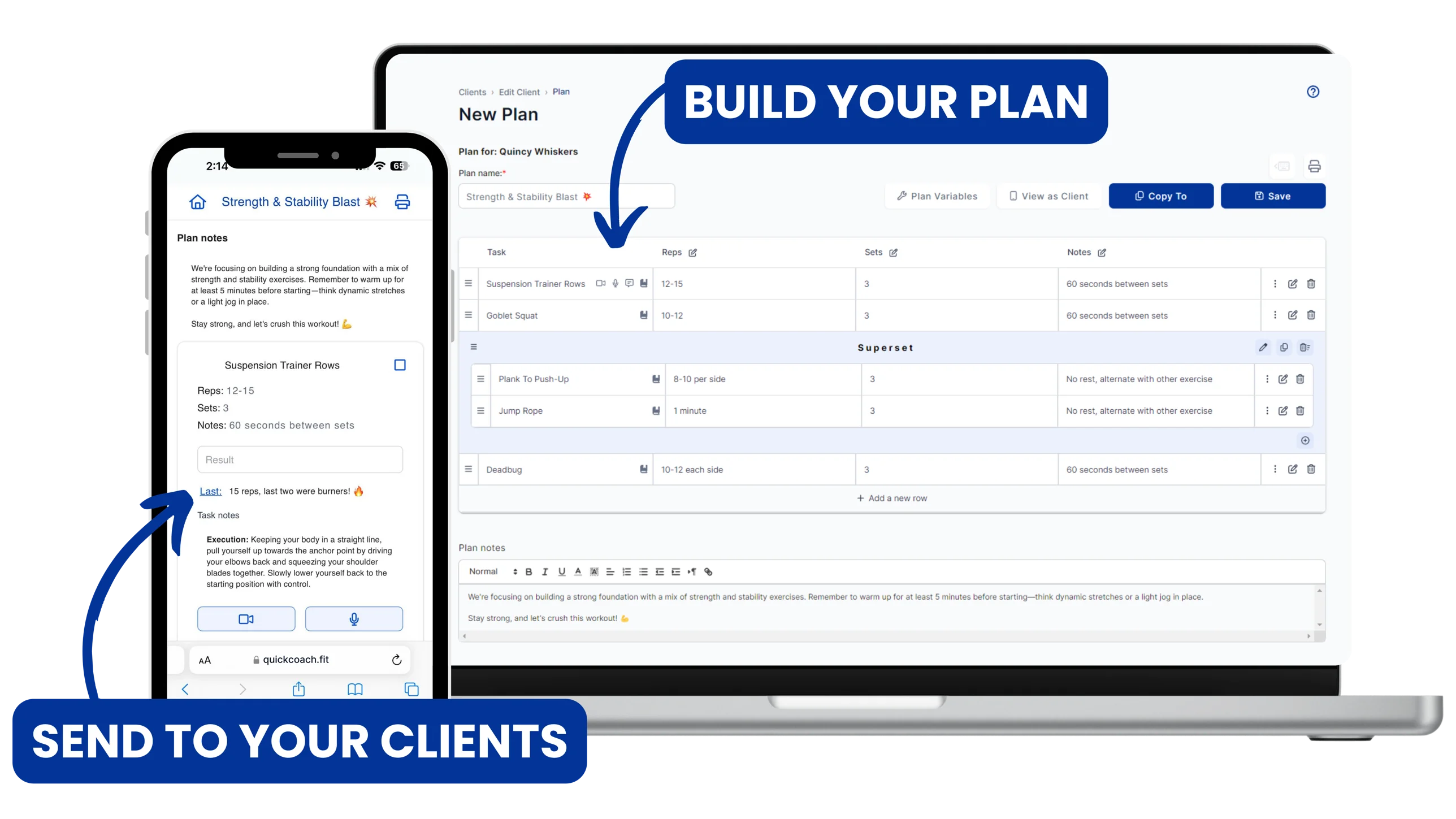
On the QuickCoach free plan you get the full programming and workout builder, unlimited reusable programmes, an unlimited customisable task library, and the client mobile and web apps. The limit is on roster size, not on the craft. There is no time limit, no countdown, and no feature that expires after 14 days.
Here is what free means across the platforms coaches usually shortlist. Every figure below was verified against each vendor's own pricing page in May 2026.
| Platform | What “free” actually is | Capacity while free | Runs out? |
|---|---|---|---|
| QuickCoach | A permanent free plan | Up to 20 clients | No |
| Everfit | A permanent free plan (Starter) | Up to 5 active clients | No |
| Trainerize | A permanent free plan (Basic) | 1 client | No |
| TrueCoach | A trial, no free plan | Plan limits apply | Yes, 14 days |
| My PT Hub | A trial, no free plan | Plan limits apply | Yes, 30 days |
| PT Distinction | A trial, no free plan | Plan limits apply | Yes, 1 month |
Read the middle column rather than the first. A one-client free plan is a demo with a login. A five-client plan is a real but short runway, and a coach on it will face the upgrade question in their first few months whether the business is ready or not. Only a ceiling in the double digits makes staying free a strategy rather than a stall. If the words free plan and free trial still read as the same thing, our free plan versus free trial reference defines both and maps every platform in the table above. The full side-by-side, including what each paid tier costs when you do move, sits in our comparison of the best free coaching software in 2026.
Now the honest edge of ours. The QuickCoach free limit is 20 clients in total, and inactive clients still occupy one of those places. Marking a client inactive on Free switches off their access and also removes your own view of their history, and you cannot switch them back to active without upgrading. The record is preserved rather than deleted, and upgrading restores it, but on the free plan that toggle is a one-way door. The help centre page on active and inactive clients spells out exactly what happens on each plan. If your roster turns over a lot, that constraint will reach you before the client cap does.
The three signals that genuinely mean it is time
Three things actually justify paying. All three share a shape: something specific is now costing you money, clients, or work you cannot get back.
You are near the ceiling and still filling spots
Not at the ceiling. Near it, with intake still happening. A coach at 17 of 20 with a discovery call booked is in a different position from a coach who has sat at 14 for five months. The first one should move before the cap forces a rushed decision in front of a new client. The second one should not.
Knowing your real ceiling helps here, and it is usually lower than the plan's. Our guide to how many clients an online coach can actually handle works through the minutes-per-client maths, and the client capacity calculator gives you the number in about a minute.
A specific paid feature is now load-bearing in how you sell or deliver
Branding is the clearest case. If prospects are seeing your client app during the sales conversation, or you are building a business where the app is part of the product rather than a delivery mechanism, another company's name on it costs you something real. Same with nutrition or habit work: if your service already promises it and you are running it through spreadsheets and screenshots, you are paying for the feature in admin time instead of dollars.
The test is not whether the feature is nice. It is whether you can name the client conversation or the weekly job it changes.
You need client history to survive a roster that turns over
This is the one coaches never see coming, and it is the constraint described above. A coach with steady clients rarely touches the inactive toggle. A coach running 8-week or 12-week blocks, or seasonal work, cycles clients constantly, and on the free plan every one of those departures takes your view of their history with it and holds one of the 20 places until you delete them for good.
If that is your model, the archive is not a luxury. Reactivating a returning client and reading what you did with them last time is the job.
The maths of upgrading to paid coaching software too early
The free-versus-paid guide handles the arithmetic of the upgrade itself. The number nobody runs is the other one: what does it cost to be early?
Take a coach at six clients, which is a common point for the professional-identity itch to arrive. Say they add roughly a client a month, a decent clip at that stage. They reach the 20-client ceiling around 14 months later. Upgrade today and that is 14 months of paying $39 before the plan does anything the free one would not have done, or $546. On annual billing at $32.50 a month effective it is $455.
Now add the two optional extras at signup, which coaches often do because the tick boxes are right there. Coach Workflows is $14.99 a month and the Nutrition Booster Pack is $12.99 a month, both billed separately from Pro. That is $66.98 a month, or roughly $937 across the same 14 months, for automated check-in summaries on a six-client roster and barcode scanning in a food log you may not be using yet.
Neither figure will bankrupt anyone. That is not the point. The point is that the money buys nothing during that window. Our guide to what to charge for online coaching in 2026 puts one-to-one work most commonly at $150 to $300 a month per client, so $546 is somewhere between two and four months of one client's fees, handed over for a plan doing nothing the free one would not. Spent on something with a return, it is a decent chunk of a certification or a year of a scheduling tool.
The same maths flips hard once the trigger arrives. At 20 clients the flat $39 is a rounding error against the revenue it supports, which is exactly why waiting for the trigger costs you nothing and moving early costs you the window.
What we would tell a coach with six clients
Stay free. Then spend the money you did not spend on the two things that will actually be worth something at 20 clients.
The first is your template library. Build the programmes and the task library properly now, while you have six clients and time. Programmes and tasks are unlimited on the free plan, so there is nothing to ration. A coach who arrives at the cap with a clean, reusable library scales past it comfortably. A coach who arrives with 20 bespoke one-off programmes has bought themselves a second job, and no subscription fixes that.
The second is knowing your own capacity number, because the plan's ceiling and your ceiling are different things. Most coaches doing genuinely hands-on work top out well below 20 clients, and the useful decision is not “when do I pay” but “how many people can I coach properly”. Work that out first and the software question mostly answers itself.
Find your real ceiling before you find your plan's
The capacity calculator turns your service model and weekly hours into an honest client ceiling. There is also a printable one-page version if you would rather do it with a pen. Free, no signup, about a minute.
Work out my capacityOne more thing worth doing while you are small: choose the platform as though you will never leave it. There is no import between coaching platforms, ours included, so switching later means rebuilding your exercise library and your templates by hand. The tier decision is reversible in a click. The platform decision is not, and our guide to choosing coaching software in 2026 is the one to read carefully.
What paying actually buys, stated plainly
So that this page is not just an argument for delay, here is the paid side without the sales language. QuickCoach Pro is $39 a month, or $390 a year, which works out at $32.50 a month on annual billing. It is one flat price at any roster size, with no slider and no per-client fee.
Pro removes the client limit and adds a branded client app, branded emails and printed plans, push notifications to clients, Training Insights, multi-habit tracking with ready-made packs and full history, nutrition inside client plans with food search and food photo scanning (photo results are estimates), ad-hoc exercises, workout sharing with branded templates, full workout and file history, and priority support. The full breakdown lives on our page for QuickCoach Pro features and pricing.
Two add-ons bill separately and neither is required for any of the above. Coach Workflows at $14.99 a month adds automated check-in summaries and client reports. The Nutrition Booster Pack at $12.99 a month adds barcode scanning, and only barcode scanning: food search, photo scanning, calories, macros and the client food log are all core Pro.
Pro also lowers the fee on client payments. Client Billing is optional on Free and Pro: when you use it, QuickCoach takes a 10% platform fee on Free or 3.5% on Pro, plus Stripe's processing fee, charged only when you get paid. That difference only matters if a good share of your income runs through Client Billing.
Frequently Asked Questions
How many clients should I have before I start paying for coaching software?
There is no universal number, because the answer depends on the ceiling of the free plan you are on. On a 20-client free tier, most coaches have no reason to pay until the roster is in the high teens and still growing. On a 5-client or 1-client free plan the ceiling arrives almost immediately, which is a fact about that plan rather than about your business.
Is free coaching software good enough to run a business?
It depends entirely on where the free plan stops. A free tier that holds 20 clients with full programming, unlimited programmes and tasks, and client apps will run a working coaching business for years. A free plan that holds one client is a demo. Judge the plan by its ceiling and by what it takes away at that ceiling, not by the word free.
Will I lose my work if I upgrade to a paid plan later?
Upgrading inside the same platform is a billing change, not a migration. Your clients, programmes, task library and history stay where they are, and on QuickCoach upgrading also restores access to inactive client records and the ability to reactivate them. What does cost you work is changing platforms later, because there is no import. Choose the platform carefully and the tier casually.
Is there a catch to free coaching software?
The catch to look for is the ceiling, not the price. On our free plan the limit is 20 clients in total, inactive clients included, and marking a client inactive on Free removes your own access to their history until you upgrade. That is the honest edge of the plan, and it is written down in the help centre rather than discovered at the wrong moment. There is no time limit, no countdown and no forced upgrade.
Last updated August 2026. Competitor pricing and free-tier limits reflect publicly listed rates verified against each vendor's own pricing page in May 2026 and are subject to change. Not sure which side of the line you are on? Run your roster past us at support@quickcoach.fit and we will tell you if the answer is “not yet”.