Keeping online coaching clients engaged between check-ins is the part of the job most coaches do by feel. The check-in lands, the client answers, and then the week goes quiet until the next form arrives. That gap is where motivation fades, and it is where retention is actually decided.
Engagement between check-ins is a cadence of small touches, not a big event. This page is the proactive version of the quiet-client problem: what to do in the days between the structured check-ins so the silence never starts. The reactive case, what to do when a client has already gone quiet, is a separate page, and it is linked below.
Quick answer
Keeping online coaching clients engaged between check-ins is a cadence of small touches, not a big event. Send one short message mid-week, assign a task the client can tick off, and let workout sharing and activity notifications carry the rest. Software lowers the cost of the touches. The coach still has to make them.
The between-check-in gap, and why it decides retention
The check-in is a moment. The week around it is where the relationship lives. A client who completes a check-in on Sunday and hears nothing until the next one is a client who is quietly recalibrating what the service is worth, and that recalibration is the first step of the attention drop-off that drives most cancellations. The four causes of churn, and the fix mapped to each, are covered in our guide to why coaching clients leave.
Engagement between check-ins is the coach's job. That is the honest version, and it is the version competitors do not write, because their answer is more automation. Software does not keep a client engaged. What software does is lower the cost of every touch, so the touches actually happen. That distinction is the whole page.
The gap matters more than the check-in itself for one reason. A check-in is a form, and a form can be completed on autopilot. The touches in between are where the client feels coached rather than processed. A client who feels coached stays. A client who feels processed starts the private maths that ends in a cancellation email two months later.
The touch cadence: what to send and when
The touch cadence is a rhythm of small, specific touches between the structured check-ins. The check-in system, with its weekly short and monthly deep rhythm, is covered in our guide to client check-ins that keep clients. This page is what happens in the days between.
A workable cadence for one client looks like this. The check-in lands on Sunday. Monday, a one-line comment on the session they completed. Wednesday, a question about the week, or a tip tied to something they wrote. Friday, a short check on the goal they set. Each touch is one message, specific to that client, and none of them takes more than a minute to send.
The touches work because they are specific. A comment that names the session, the set, or the number reads as attention. A message that goes to every client reads as a newsletter. The difference is the same one that decides whether a reply feels personal, and the response discipline that makes a client feel seen is laid out in the check-in system.
What you send matters less than that you send it. A question about the week, a note on a completed session, a relevant tip, a check on a goal. The content rotates. The rhythm does not. A client learns the rhythm within a fortnight, and a learned rhythm is engagement that no longer needs to be manufactured.
Tasks as the accountability layer (free tier)
Between check-ins, the client needs something to do. A task is the smallest unit of accountability that works: a habit to tick, a mobility drill, a weekly weigh-in, a reading. The client completes it, the coach sees it, and the week has a shape that does not depend on a conversation.
Tasks are the minimum viable accountability layer, and on QuickCoach they sit on the free tier. A coach with a small roster can run the whole between-check-in cadence on tasks without paying anything, because the free tier holds up to 20 active clients with no time limit. The habit layer, with multi-habit tracking and full history, is part of Pro, and how widely coaches assign habits is covered in the habit assignment report.
The coach's side of the task layer is the to-do list, where follow-ups and program builds get a home. The practical setup, and the difference between a task list that works and one that becomes a graveyard, is in our guide to the QuickCoach app to-do list.
Workout sharing and the social moment
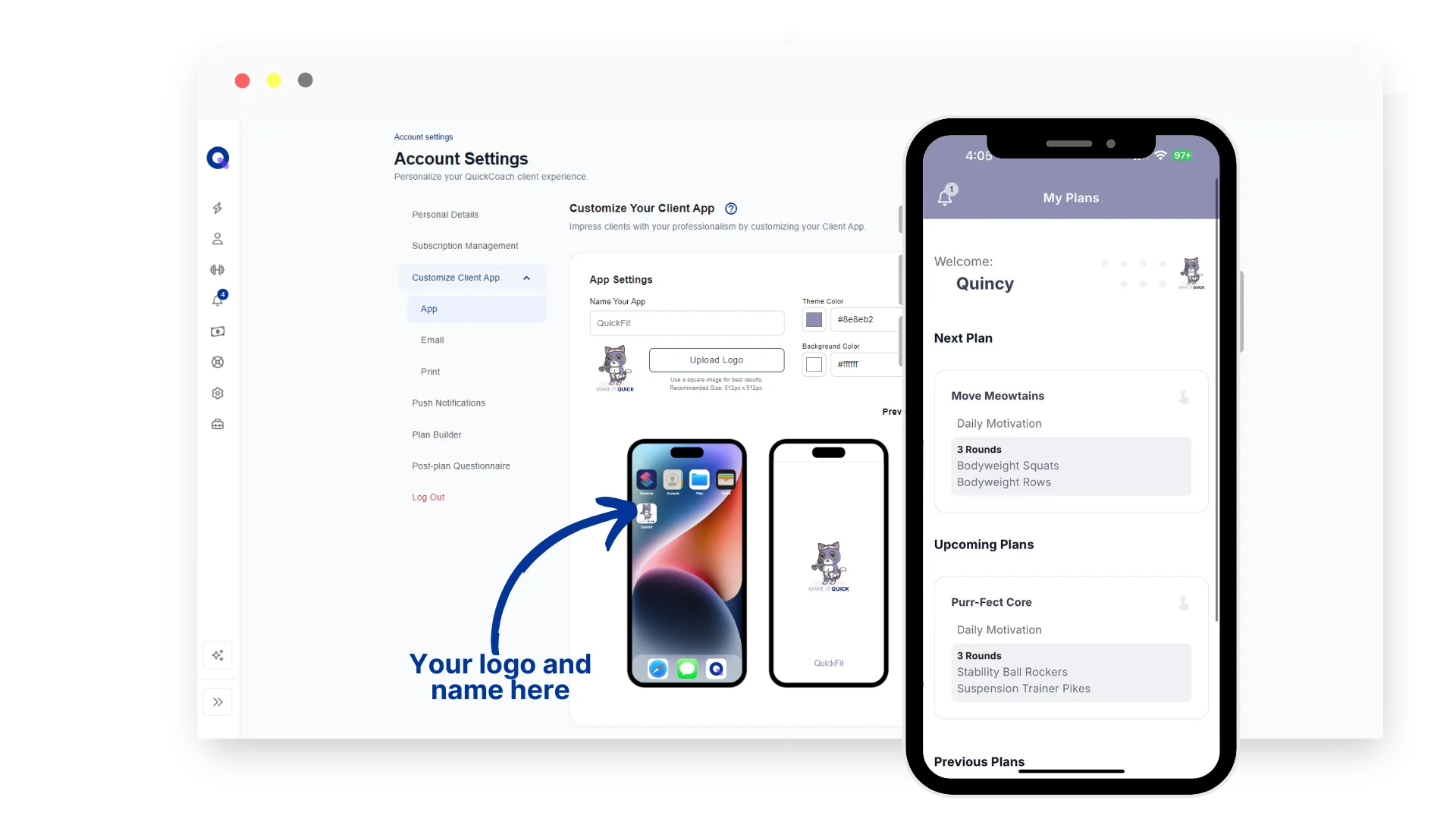
Some engagement does not need the coach at all. When a client completes a workout in the QuickCoach app, they can share it to their own feed with one tap. On the free tier the share goes out in a default template. On Pro it carries the coach's logo and brand colours, so every completed session becomes a branded touchpoint the client makes themselves.
The social moment matters because it is engagement the client generates, not engagement the coach has to manufacture. A client who shares a session is a client who is proud of the work, and pride is the strongest retention force on the roster. The full mechanics, and the four templates, are in our guide to workout sharing.
Reading activity signals before the check-in
The coach who arrives at a check-in already knowing the week is a coach who can spend the check-in on coaching instead of catching up. Activity notifications on Pro surface who trained and who did not, and the roster's last-activity readout shows the quiet spots at a glance.
Reading the signals before the check-in is the proactive version of the quiet-client problem. When a client misses a session, the coach knows before the check-in, and the follow-up can happen in the moment rather than a week later. The reactive case, what to do when a client has already gone quiet, is covered in our guide to what to do when a client stops replying to check-ins.
The nudge that works (and the one that does not)
The nudge that works is specific, personal, and asks for one small thing. "How did the Tuesday session feel?" beats "Just checking in." A nudge that names the work gives the client a reason to reply, and a reply is the engagement you are after.
The nudge that does not work is the generic broadcast, and the automated reminder that replaces a personal message. Automated reminders have a place: they keep the rails on, and they catch the client who simply forgot. But a client who only ever hears from a machine learns that the service is a machine. The reminder is the floor, the personal message is the ceiling. The cadence above is the difference between them.
Frequently Asked Questions
How often should I message clients between check-ins?
Once or twice a week, on top of the structured check-in. One mid-week message and one comment on a completed session is enough for most clients. The touches should be specific and short. If a message takes more than a minute to write, it is probably a broadcast, and broadcasts do not engage.
What if I have too many clients to touch base?
The cadence scales by lowering the cost of each touch, not by adding more of them. Tasks and workout sharing run without a message, and activity notifications tell you who needs a touch and who does not. If the roster is past the point where the touches actually happen, the honest fix is a cap, not a lighter service.
Do automated reminders replace personal messages?
No. Automated reminders catch the client who forgot and keep the cadence on rails, but they do not make a client feel seen. The reminder is the floor, the personal message is the ceiling. A client who only ever hears from a machine learns that the service is a machine.
Published August 2026. The between-check-in cadence sits in the coaching guides hub alongside the check-in system, the quiet-client guide and the retention guide. If you are building the cadence with a small roster, QuickCoach's free tier holds up to 20 clients with no time limit, and the task layer that carries the accountability is free. Activity notifications, branded workout sharing and multi-habit tracking are part of Pro at $39 a month, or $32.50 a month on annual billing.